















Remote nowBooking an appointment
Summary


Secure Data Exchange with Clients Made Easy: One-Time Codes and Name Entry with luckycloud
Who is allowed to access the files through a download link? And what happens when a file is uploaded anonymously to a cloud folder and no one knows who sent it? This is where luckycloud comes in, with two new features: one-time codes for download links and name entry for upload links. Two simple but effective solutions that provide greater control and security when sharing data.
Why You Should Add Extra Security to Your Data Sharing
A download link is an excellent way to quickly share files from your cloud storage with selected recipients. But what happens if a recipient forwards the link without authorization? Can it be reused multiple times? This uncertainty can cause serious problems, especially when it comes to confidential contracts, financial documents, or personal data.
It’s also worth taking a closer look at file uploads. A project team might collect documents in a shared cloud folder – but without clear labeling, it’s unclear who uploaded what. This leads to unnecessary follow-ups and confusion. It becomes even more critical if anonymously uploaded documents containing sensitive information end up in the wrong hands.
The challenge: to design data sharing that remains seamless and efficient, while preventing unauthorized access. That’s exactly what luckycloud now offers. New features from luckycloud allow you to retain control over shared data without having to go through complicated permission processes.
How Personalized One-Time Codes Make Your Download Links Even More Secure
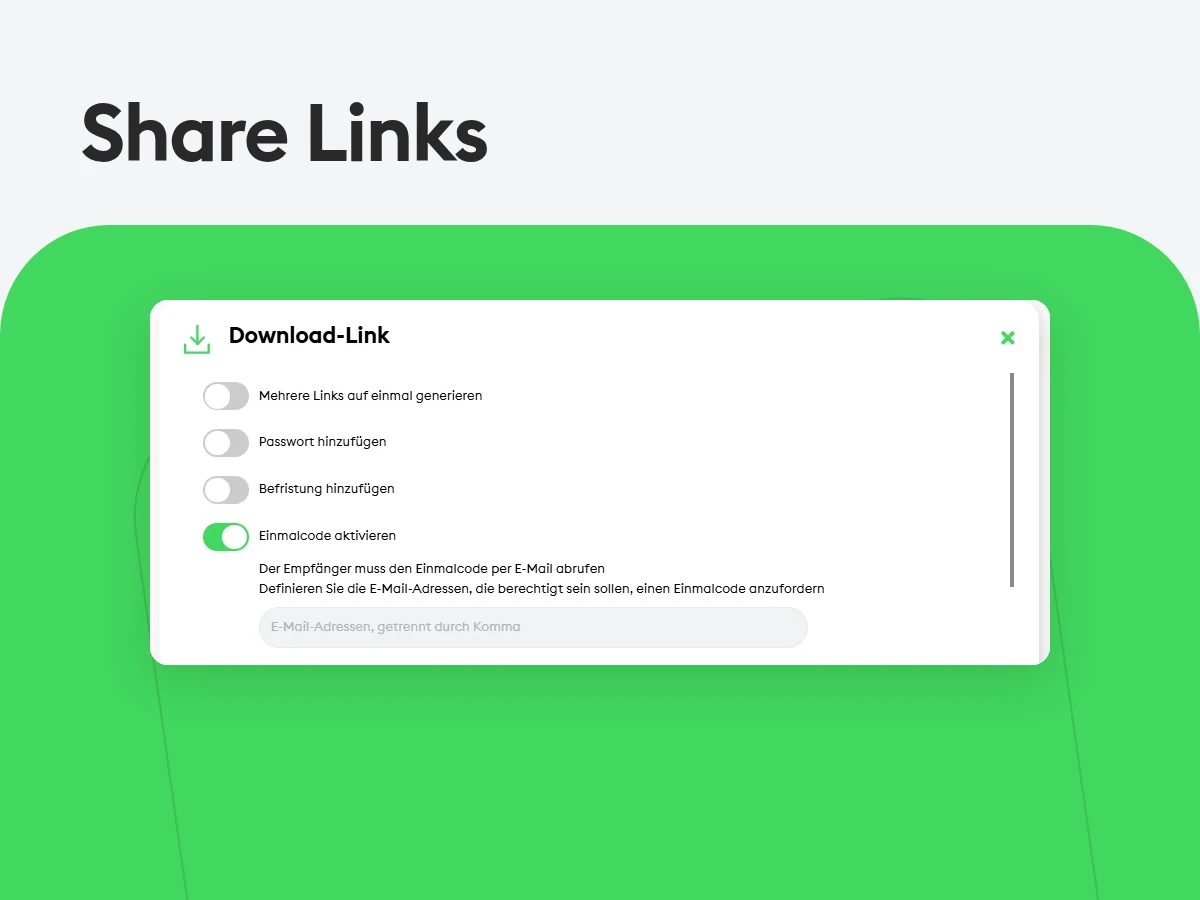
One-time codes for download links ensure that you, as the sender, can define exactly which email addresses are authorized to retrieve the code and access the download. If the link is forwarded, another person can retrieve the code only through an authorized email address.
This feature is especially useful for companies that send exclusive or confidential documents – whether it’s a signed contract, a confidential offer, or a personalized client document. The one-time code restricts code retrieval to authorized email addresses.

File Upload with Name Entry: More Transparency, Less Chaos
The second new feature relates to file uploads. Users can now require that the person uploading a file must enter their name. It may sound like a small change, but it makes a big difference in practice. Especially in project management, job applications, or governmental processes, it’s essential to clearly assign uploaded documents.
Name entry makes it easier to assign uploaded documents to the name provided. Depending on the use case, you can configure luckycloud to create a separate subfolder for each uploader or to append the uploader’s name to the end of the filename.

GDPR-Compliant Data Sharing for All Industries with luckycloud
The new security features from luckycloud are more than just a useful addition – they solve real problems in a variety of industries.
- Finance and insurance: It’s critical that sensitive files like contracts or billing statements don’t end up in the wrong hands. One-time codes restrict code retrieval to authorized email addresses; they do not prevent links from being forwarded. Meanwhile, name entry simplifies the upload of documents such as identity verification or tax documents by allowing files to be assigned to the name provided.
- Public sector and municipalities: Name entry is especially helpful when citizens upload documents like building permits or funding applications. Without identifying information, assignments are much harder. With name entry, files can be assigned to the name provided, reducing processing times and administrative overhead.
- Law firms and legal advisors: Contracts and legal documents are highly sensitive. Even if a link is forwarded, code retrieval remains restricted to authorized email addresses. Name entry ensures that uploaded files can be properly assigned – saving time and avoiding misunderstandings.
A step-by-step guide on how to generate one-time codes for your download links or activate name entry for uploads can be found here in the luckycloud Knowledge Base.
Share Confidential Files Safely – Simply and Efficiently
Data exchange must be secure – but it shouldn’t be complicated. The new features from luckycloud strike the perfect balance between control and simplicity. With one-time codes for download links and name entry for upload links, luckycloud now makes it even easier to share data securely and efficiently – whether in finance, healthcare, or any other industry.
Picture: FreepikYou might also be interested in

Outlook outage: How can customers reach you when email fails?
Your fallback address can send. But where does the customer reply? A two-way drill shows whether your business is really reachable during an email outage.
Updated: 26.11.2026
Learn more
Microsoft 365 outage: Who can get your business working again?
The file is backed up, but the job still stops. Test who can sign in, edit the current version and deliver it to the customer.
Updated: 26.11.2026
Learn more
Dropbox Alternative: Secure Cloud Storage Providers Compared
Dropbox is one of the best-known cloud storage services. Uploading, syncing and sharing files is quick, easy and already part of everyday work for many teams.
Updated: 26.11.2026
Learn more
Switching Email Providers with Your Own Domain: What Matters
More and more freelancers and businesses are questioning whether their current email provider still meets their needs. And it’s rarely just about features or pricing.
Updated: 26.11.2026
Learn more
Exchange alternative from Germany: Check mail, calendars and contacts
What an Exchange alternative needs to do: test mail, calendars and contacts, plan migration and assess encryption accurately.
Updated: 26.11.2026
Learn more
Cloud Storage for Teams: Collaborate Securely, Flexibly, and GDPR-Compliant
A cloud storage solution for teams is indispensable today. Teamwork has long since gone digital: hybrid models and distributed locations are part of everyday life, files need to be available at all...
Updated: 26.11.2026
Learn more
Cloud Infrastructure for Startups: How to Launch Securely and Scale Confidently
You've taken the first step: the company is founded, the team is motivated. Now you need a digital infrastructure that can keep up with your ideas.
Updated: 26.11.2026
Learn more
Host Europe migrates email to Microsoft – and SMEs lose data sovereignty
Host Europe has made its move: The provider has announced that all email mailboxes will be migrated to Microsoft 365 starting in May 2025.
Updated: 26.11.2026
Learn more
Secure Data Exchange with Clients Made Easy: One-Time Codes and Name Entry with luckycloud
Sharing data with others should be as simple and secure as possible. Companies need to exchange sensitive information with clients, partners, or internal teams—but once a link is shared, it can qui...
Updated: 26.11.2026
Learn more
Less frustration, more flow: Digital collaboration tools compared
Digital communication and collaboration are essential in companies – but often feel more like chaos than productivity. We compare the most common tools and highlight their advantages and disadvanta...
Updated: 26.11.2026
Learn more
luckychat is here! The new open-source messenger from luckycloud for optimal team communication
From now on, luckychat is available as a secure open-source alternative to platforms like Microsoft Teams and Slack for your business! The latest addition to the luckycloud product family enables f...
Updated: 26.11.2026
Learn more
Cloud and Collaboration Trends 2025: Security and Teamwork in Focus
The IT world is evolving faster than ever – staying ahead means being prepared. 2025 brings groundbreaking advancements in cloud security, hybrid cloud, and digital collaboration tools. Discover th...
Updated: 26.11.2026
Learn more
Secure Alternative to Webex, Zoom, and Co.: luckycloud Launches Solution for Online Meetings
Secure online meetings are a must-have, and video conferencing tools are indispensable in everyday work life. However, providers like Zoom or Webex are heavily criticized due to data privacy issues.
Updated: 26.11.2026
Learn more
Artificial intelligence in the enterprise: How humans and technology become a service dream team
Whether a customer remains loyal to a company or switches to a competitor is increasingly determined by contact with customer service. Today, consumers and business customers alike expect fast and...
Updated: 26.11.2026
Learn more
Protected data rooms: Cloud service for works councils ensures IT independence
How can a works council collaborate confidentially and independently of its employer's IT? Christian Stöveken of Klinikum Darmstadt explains what matters.
Updated: 26.11.2026
Learn more
Digitalprämie Berlin - how to benefit from the subsidies with luckycloud
With the digital bonus, the state of Berlin and Investitionsbank Berlin (IBB) want to promote the digitalization of the working world.
Updated: 26.11.2026
Learn more
Service for cloud solutions: Focus on the customer's needs
Good service pays off - this is also or especially true in difficult times, when the economy is facing numerous challenges due to the Corona pandemic.
Updated: 26.11.2026
Learn more
QNAP NAS and luckycloud - perfect match for Hybrid Clouds
Hybrid Cloud solutions do not have to be complicated. As with all successful combinations, it all depends on the right components! luckycloud - as a secure cloud provider from Germany with the high...
Updated: 26.11.2026
Learn more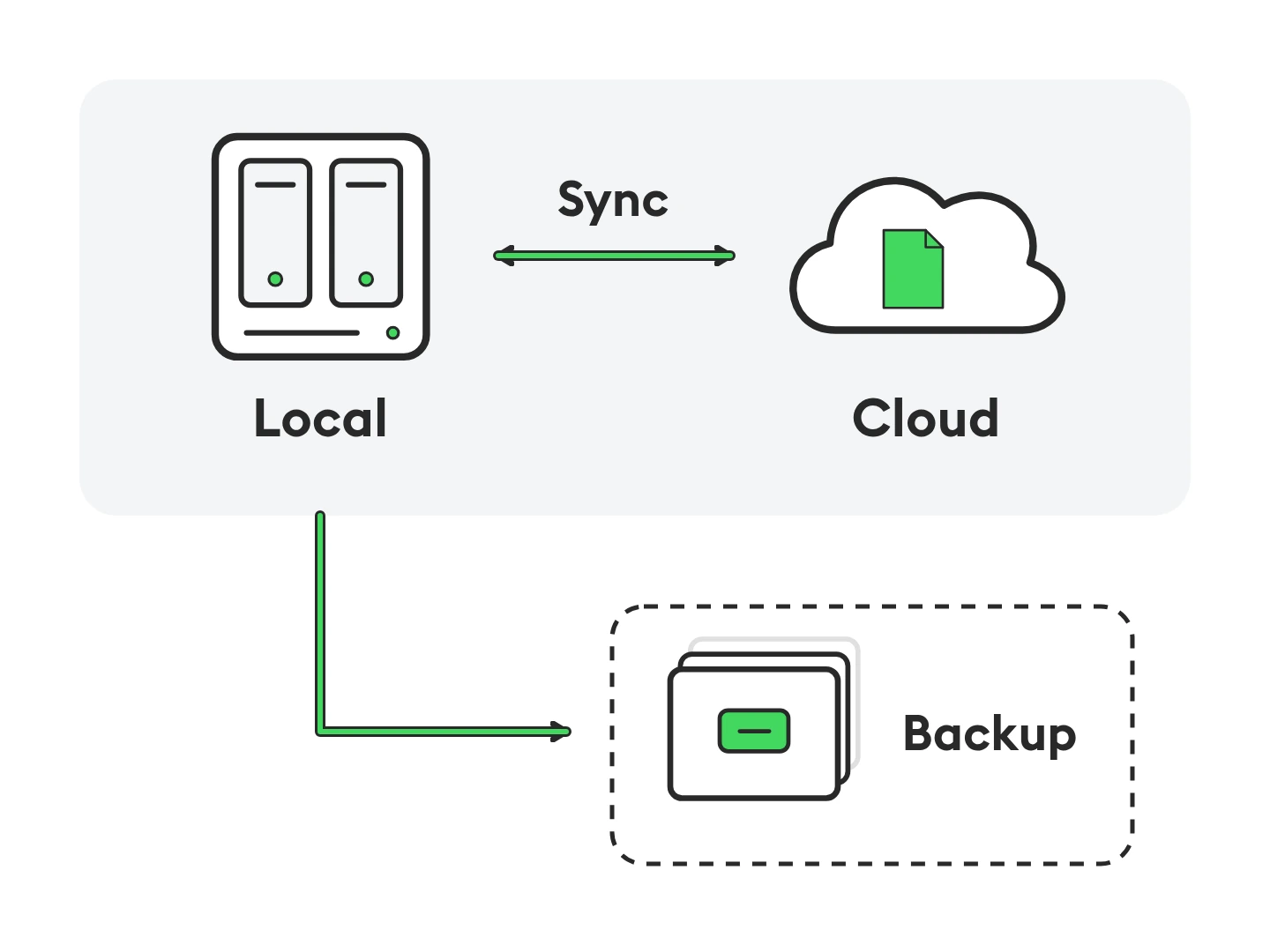
All-rounder Hybrid Cloud - clever combination of backup and data processing
IT systems can be affected by failures or maintenance. During this time data in the cloud is not accessible. If you use the cloud storage as pure backup, a failure only affects current changes. But...
Updated: 26.11.2026
Learn more
Crash course GDPR - Summary of the 10 most important facts
25 May 2018 - the GDPR became applicable on this date. Curse or blessing? After 2 years this is not exactly one of the most popular topics for companies. Nevertheless, the DSGVO has an important si...
Updated: 26.11.2026
Learn more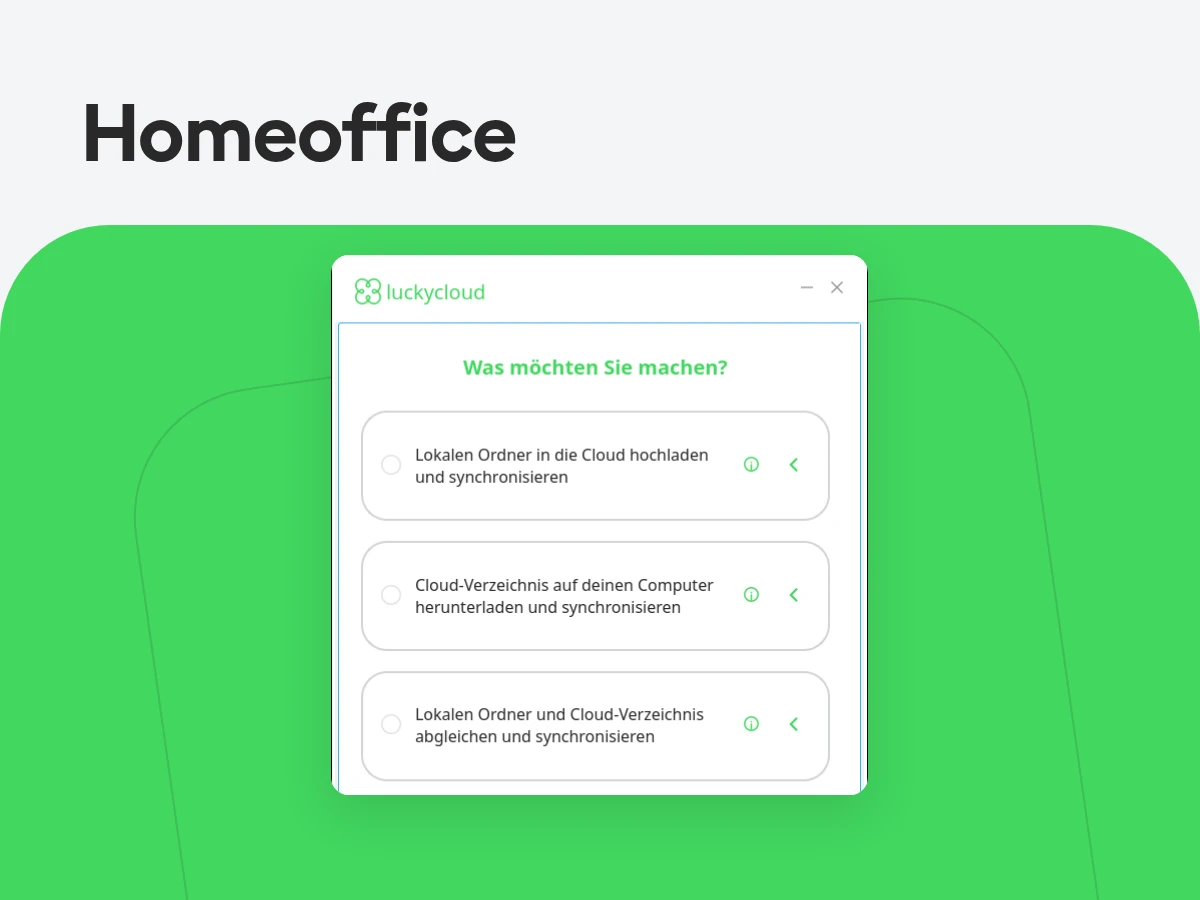
Cloud storage in the home office - Set up luckycloud in your home office in 3 steps
There is hardly anyone left who is not affected by the current crisis, let alone severely restricted. Suddenly there are people in the home office who have never (had to) think about how to work ou...
Updated: 26.11.2026
Learn more
Home Office Preparation - Working from home without loss of control
Many managers are currently in conflict over the decision whether to use home office or not. The biggest barrier here is not the technical hurdle, but the feeling of loss of control. Many bosses ar...
Updated: 26.11.2026
Learn more
Home Office Checklist - Corona crisis becomes surveillance scandal 2.0
The corona crisis has stirred up many minds. Many entrepreneurs are interested in a quick solution and forget the daily dangers of digital data processing. People's privacy is sometimes trampled un...
Updated: 26.11.2026
Learn more
Home Office Guide in times of the coronavirus - working fast and safe from home
Current news about the corona virus is piling up. Many send their employees to the home office - but for many industries this is simply impossible. On various platforms there are lists of digital t...
Updated: 26.11.2026
Learn more
A cloud provider from Germany with easy user and data administration was especially important to us!
The demands for schools to be equipped with technical devices, a modern IT infrastructure and secure software solutions are anything but new. This applies to the administration as well as the teach...
Updated: 26.11.2026
Learn more
Why are updates important?
"Again?!", this is the thought you always have when you see a pop up with an update on your computer again. One is simply annoyed and clicks on "Remember later". But this is exactly what you should...
Updated: 26.11.2026
Learn more
Anniversary of the basic data protection regulation - Part 3 outlook and summary
Indeed, further regulations will follow in the future. With the DSGVO, the basic framework for far-reaching data protection regulation has been established, although the next stage of the DSGVO is...
Updated: 26.11.2026
Learn more
GDPR-compliant cloud storage for businesses: What to check
The agreement, data location and access rights: Assess a cloud provider and use three test files to check whether your rules work in practice.
Updated: 26.11.2026
Learn more
Anniversary of the Basic Data Protection Regulation - Part 1 What is the DSGVO?
One year has now passed since the GDPR became applicable and its introduction caused a lot of unrest and has been hotly debated in recent years, as has the topic of data protection in public clouds...
Updated: 26.11.2026
Learn more
Introduction to luckycloud - Part 2 Collaborative Teamwork with the Team Manager
One has just got used to the old system and then the boss comes around the corner and is of the opinion to integrate a new system because the old one is no longer DSGVO-compliant. The switch to a n...
Updated: 26.11.2026
Learn more
Outlook outage: How can customers reach you when email fails?
Your fallback address can send. But where does the customer reply? A two-way drill shows whether your business is really reachable during an email outage.
Updated: 26.11.2026
Learn more
Microsoft 365 outage: Who can get your business working again?
The file is backed up, but the job still stops. Test who can sign in, edit the current version and deliver it to the customer.
Updated: 26.11.2026
Learn more
Dropbox Alternative: Secure Cloud Storage Providers Compared
Dropbox is one of the best-known cloud storage services. Uploading, syncing and sharing files is quick, easy and already part of everyday work for many teams.
Updated: 26.11.2026
Learn more
Switching Email Providers with Your Own Domain: What Matters
More and more freelancers and businesses are questioning whether their current email provider still meets their needs. And it’s rarely just about features or pricing.
Updated: 26.11.2026
Learn more
Exchange alternative from Germany: Check mail, calendars and contacts
What an Exchange alternative needs to do: test mail, calendars and contacts, plan migration and assess encryption accurately.
Updated: 26.11.2026
Learn more
Cloud Storage for Teams: Collaborate Securely, Flexibly, and GDPR-Compliant
A cloud storage solution for teams is indispensable today. Teamwork has long since gone digital: hybrid models and distributed locations are part of everyday life, files need to be available at all...
Updated: 26.11.2026
Learn more
Cloud Infrastructure for Startups: How to Launch Securely and Scale Confidently
You've taken the first step: the company is founded, the team is motivated. Now you need a digital infrastructure that can keep up with your ideas.
Updated: 26.11.2026
Learn more
Host Europe migrates email to Microsoft – and SMEs lose data sovereignty
Host Europe has made its move: The provider has announced that all email mailboxes will be migrated to Microsoft 365 starting in May 2025.
Updated: 26.11.2026
Learn more
Secure Data Exchange with Clients Made Easy: One-Time Codes and Name Entry with luckycloud
Sharing data with others should be as simple and secure as possible. Companies need to exchange sensitive information with clients, partners, or internal teams—but once a link is shared, it can qui...
Updated: 26.11.2026
Learn more
Less frustration, more flow: Digital collaboration tools compared
Digital communication and collaboration are essential in companies – but often feel more like chaos than productivity. We compare the most common tools and highlight their advantages and disadvanta...
Updated: 26.11.2026
Learn more
luckychat is here! The new open-source messenger from luckycloud for optimal team communication
From now on, luckychat is available as a secure open-source alternative to platforms like Microsoft Teams and Slack for your business! The latest addition to the luckycloud product family enables f...
Updated: 26.11.2026
Learn more
Cloud and Collaboration Trends 2025: Security and Teamwork in Focus
The IT world is evolving faster than ever – staying ahead means being prepared. 2025 brings groundbreaking advancements in cloud security, hybrid cloud, and digital collaboration tools. Discover th...
Updated: 26.11.2026
Learn more
Secure Alternative to Webex, Zoom, and Co.: luckycloud Launches Solution for Online Meetings
Secure online meetings are a must-have, and video conferencing tools are indispensable in everyday work life. However, providers like Zoom or Webex are heavily criticized due to data privacy issues.
Updated: 26.11.2026
Learn more
Artificial intelligence in the enterprise: How humans and technology become a service dream team
Whether a customer remains loyal to a company or switches to a competitor is increasingly determined by contact with customer service. Today, consumers and business customers alike expect fast and...
Updated: 26.11.2026
Learn more
Protected data rooms: Cloud service for works councils ensures IT independence
How can a works council collaborate confidentially and independently of its employer's IT? Christian Stöveken of Klinikum Darmstadt explains what matters.
Updated: 26.11.2026
Learn more
Digitalprämie Berlin - how to benefit from the subsidies with luckycloud
With the digital bonus, the state of Berlin and Investitionsbank Berlin (IBB) want to promote the digitalization of the working world.
Updated: 26.11.2026
Learn more
Service for cloud solutions: Focus on the customer's needs
Good service pays off - this is also or especially true in difficult times, when the economy is facing numerous challenges due to the Corona pandemic.
Updated: 26.11.2026
Learn more
QNAP NAS and luckycloud - perfect match for Hybrid Clouds
Hybrid Cloud solutions do not have to be complicated. As with all successful combinations, it all depends on the right components! luckycloud - as a secure cloud provider from Germany with the high...
Updated: 26.11.2026
Learn more
All-rounder Hybrid Cloud - clever combination of backup and data processing
IT systems can be affected by failures or maintenance. During this time data in the cloud is not accessible. If you use the cloud storage as pure backup, a failure only affects current changes. But...
Updated: 26.11.2026
Learn more
Crash course GDPR - Summary of the 10 most important facts
25 May 2018 - the GDPR became applicable on this date. Curse or blessing? After 2 years this is not exactly one of the most popular topics for companies. Nevertheless, the DSGVO has an important si...
Updated: 26.11.2026
Learn more
Cloud storage in the home office - Set up luckycloud in your home office in 3 steps
There is hardly anyone left who is not affected by the current crisis, let alone severely restricted. Suddenly there are people in the home office who have never (had to) think about how to work ou...
Updated: 26.11.2026
Learn more
Home Office Preparation - Working from home without loss of control
Many managers are currently in conflict over the decision whether to use home office or not. The biggest barrier here is not the technical hurdle, but the feeling of loss of control. Many bosses ar...
Updated: 26.11.2026
Learn more
Home Office Checklist - Corona crisis becomes surveillance scandal 2.0
The corona crisis has stirred up many minds. Many entrepreneurs are interested in a quick solution and forget the daily dangers of digital data processing. People's privacy is sometimes trampled un...
Updated: 26.11.2026
Learn more
Home Office Guide in times of the coronavirus - working fast and safe from home
Current news about the corona virus is piling up. Many send their employees to the home office - but for many industries this is simply impossible. On various platforms there are lists of digital t...
Updated: 26.11.2026
Learn more
A cloud provider from Germany with easy user and data administration was especially important to us!
The demands for schools to be equipped with technical devices, a modern IT infrastructure and secure software solutions are anything but new. This applies to the administration as well as the teach...
Updated: 26.11.2026
Learn more
Why are updates important?
"Again?!", this is the thought you always have when you see a pop up with an update on your computer again. One is simply annoyed and clicks on "Remember later". But this is exactly what you should...
Updated: 26.11.2026
Learn more
Anniversary of the basic data protection regulation - Part 3 outlook and summary
Indeed, further regulations will follow in the future. With the DSGVO, the basic framework for far-reaching data protection regulation has been established, although the next stage of the DSGVO is...
Updated: 26.11.2026
Learn more
GDPR-compliant cloud storage for businesses: What to check
The agreement, data location and access rights: Assess a cloud provider and use three test files to check whether your rules work in practice.
Updated: 26.11.2026
Learn more
Anniversary of the Basic Data Protection Regulation - Part 1 What is the DSGVO?
One year has now passed since the GDPR became applicable and its introduction caused a lot of unrest and has been hotly debated in recent years, as has the topic of data protection in public clouds...
Updated: 26.11.2026
Learn more
Introduction to luckycloud - Part 2 Collaborative Teamwork with the Team Manager
One has just got used to the old system and then the boss comes around the corner and is of the opinion to integrate a new system because the old one is no longer DSGVO-compliant. The switch to a n...
Updated: 26.11.2026
Learn more