
















Remote nowBooking an appointment
Summary



Why luckycloud Is Now Available in the Microsoft Store
The Microsoft Store as a Core Component of Professional Windows IT
In professional Windows environments, teams expect consistent structures: applications come from defined sources, updates are managed in a controlled manner, and processes remain predictable. The Microsoft Store supports these requirements, which is why many organizations use it as a central point of reference for Windows software. Applications published there are embedded into existing management and security concepts. For many, this is where the evaluation begins as to whether software is suitable for long-term use.
luckycloud in the Windows Ecosystem: A Consistent Decision
At luckycloud, we design cloud software as part of real working environments. This includes ensuring that the sync client is available where professional Windows software is sourced. Via the Microsoft Store, organizations can clearly integrate and operate luckycloud within their existing IT structures.
What Is the luckycloud Sync Client?
The luckycloud sync client connects local Windows workstations with luckycloud. It automatically synchronizes defined folders and ensures that files remain available locally while data is managed centrally in the cloud.
This provides a stable operational foundation for cloud-based work in Windows environments, without introducing additional processes or special solutions.
luckycloud Sync Client: What Changes for Users and What Stays the Same
With the integration of the luckycloud sync client into the Microsoft Store, users gain an additional, well-established distribution channel. Functionality, security architecture, and workflows remain unchanged, and the sync client is still available for download directly from our website. Additional details can be found in the sync client documentation. Teams continue working as usual, while IT departments benefit from a clearly defined source for deployment and updates. This ensures clear responsibilities and reliable processes in daily operations.
What This Means for IT Decision-Makers and Organizations
IT decision-makers evaluate software based on the interaction of operations, security, and integration. The Microsoft Store supports standardization, simplifies rollouts, and fits into existing governance models. By taking this step, luckycloud demonstrates its commitment to making cloud solutions for businesses easy to integrate. Learn more here: cloud solutions for businesses. From experience, we know that cloud-based work is sustainable when it strengthens existing processes instead of creating new dependencies.
Conclusion: Presence Where Professional Use Takes Place
For many organizations, the Microsoft Store is now part of everyday Windows operations. Our availability there follows a clear principle: cloud software must integrate into existing working environments, come from verifiable sources, and remain operable in the long term. luckycloud’s presence in the Microsoft Store puts this principle into practice.
You might also be interested in

Is Google Drive secure? GDPR & data protection for businesses
Google Drive is a fixed part of collaboration in many companies. But once confidential documents, personal data or internal projects are stored in the cloud, looking at encryption alone is not enou...
Updated: 04.08.2026
Learn more
Cloud providers compared: which cloud gives companies more sovereignty?
Cloud providers no longer differ only in terms of storage space, pricing or ease of use. For companies, the key question is how well data, access rights, keys and processes remain controllable. Cho...
Updated: 04.08.2026
Learn more
Open Source Cloud: What Businesses Should Check Before Choosing a Provider
Open source is a good starting point, but it is not a guarantee of digital sovereignty. Whether a cloud solution truly makes businesses more independent depends on the interplay of openness, operat...
Updated: 29.05.2026
Learn more
Sovereign Cloud for Businesses: What True Control Really Depends On
When choosing a cloud solution, many companies first look at data protection, European hosting and regulatory security. These factors matter, but they are not enough. Whether a cloud is truly sover...
Updated: 28.04.2026
Learn more
Sovereign Cloud or Marketing? How to Spot Sovereignty Washing
Many companies believe they have their cloud under control. Their data is stored in Europe, the provider advertises sovereignty, and the solution works reliably in daily operations. But the reality...
Updated: 25.03.2026
Learn more
Why luckycloud Is Now Available in the Microsoft Store
For professional use of cloud solutions, functionality alone is not enough. Especially for companies and organizations, it is equally important how software is delivered and how seamlessly it integ...
Updated: 10.02.2026
Learn more
Cloud Trends 2026 for Businesses: Digital Sovereignty, Geopatriation & Data Spaces
2026 marks a turning point for cloud strategies. Companies want to remain scalable without losing control over data, infrastructure, and security. Regulatory requirements, technological change, and...
Updated: 07.01.2026
Learn more
2025 at luckycloud: A Look Back at Cloud Developments and Digital Collaboration
2025 was a year in which many companies began to consciously question their digital dependencies. Data protection, control over data, and the question of who is entrusted with digital infrastructur...
Updated: 02.12.2025
Learn more
Digital Sovereignty 2026: Open Source as the Foundation of Independent Cloud Systems
Data protection and digital sovereignty are often equated. In practice, however, the two terms describe different goals. Data protection fulfills legal requirements. Digital sovereignty ensures tec...
Updated: 20.11.2025
Learn more
Fair Cloud Solution “made in Germany”: luckycloud Wins German Fairness Award Again
In 2025, luckycloud is once again among the winners of the German Fairness Award. This independent award, presented by DISQ and ntv, is based on around 66,500 consumer evaluations and honors compan...
Updated: 28.10.2025
Learn more
White Label Cloud for Businesses – luckycloud Wins Innovation Award 2025
On September 11, 2025, luckycloud was honored with the BIG BANG INNOVATION AWARD in Berlin, winning in the Technology Innovation category. The award recognized the solution “luckycloud Enterprise –...
Updated: 19.09.2025
Learn more
What is cloud storage – and what really matters when choosing one?
Cloud storage today is much more than just a virtual filing cabinet. For those who work on the go, share files, or want to store data securely, cloud storage is almost essential. It offers location...
Updated: 19.09.2025
Learn more
Pros and Cons of Open Source Cloud Storage
Cloud solutions have long become part of everyday digital life. They simplify data access, enhance collaboration, and enable scalability. However, relying on proprietary providers often means losin...
Updated: 21.08.2025
Learn more
Sustainable Cloud Storage from Germany – More Than Just a Green Label
It’s no secret that digital infrastructure consumes a great deal of energy. The cloud isn’t invisible – it runs on servers around the clock. Anyone concerned with the climate impact of IT should as...
Updated: 30.06.2025
Learn more
Air-Gapped Cloud vs. Sovereign Cloud: Isolation Doesn’t Equal Security
The German armed forces use them. Government agencies rely on them. And major providers promote them as the security solution of the future: air-gapped clouds. It all sounds like digital isolation,...
Updated: 13.06.2025
Learn more
Privacy by Design: How luckycloud Handles Investigation Requests
Investigation requests to cloud providers are sensitive – legally, technically, and emotionally. Anyone working in the cloud must be able to trust that sensitive data won’t be handed over lightly....
Updated: 23.05.2025
Learn more
Switch cloud provider: Three simple steps to an alternative cloud solution
What should you do if your current cloud provider suddenly shuts down its service? That’s exactly what’s happening with DriveOnWeb right now: users need to secure their data and quickly switch to a...
Updated: 08.04.2025
Learn more
Cloud Backup: These Strong Backup Concepts Are Essential in the Cloud
Whether it’s critical business data or personal memories – data loss can be painful. A cloud backup is the best protection against hardware failures, cyber-attacks, or accidental deletion. However,...
Updated: 06.03.2025
Learn more
Digital Sovereignty in Uncertain Times: Why German Companies Should Act Now
The political developments in the USA are raising new questions about data security. President Donald Trump and tech mogul Elon Musk are causing uncertainty among German companies. Not least, Musk'...
Updated: 18.02.2025
Learn more
The new luckycloud Sync Client: Our open-source development for your data security and flexibility
Our new luckycloud Sync Client is now available! It simplifies, secures, and enhances the synchronization of your local data with luckycloud. In this blog post, you'll discover its key features and...
Updated: 21.05.2026
Learn more
We did it again! luckycloud wins the German Fairness Award 2024.
What an honor! For the second time in a row, we are thrilled to receive the German Fairness Award – and we couldn't be prouder. This special recognition, which once again names us the fairest cloud...
Updated: 17.10.2024
Learn more
luckycloud is the test winner in the cloud storage comparison – Top score 1.0 by trusted.de!
What an achievement! trusted.de, one of the leading review platforms for business tools and software, awarded luckycloud the highest score of 1.0 as the only cloud storage service in the test. Our...
Updated: 17.10.2024
Learn more
Optimize cloud costs and save your IT budget: 4 tips for rightsizing
Cloud applications are on the rise. They offer numerous advantages for companies in particular: flexibility, scalability, mobility, automation, efficiency, and cost savings. However, caution is adv...
Updated: 12.08.2024
Learn more
Cloud for Public Administration: How the Gütersloh District is Mastering the Digital Transformation
The Gütersloh District has successfully addressed the current challenges facing authorities, municipalities, and public administrations by introducing an innovative solution for secure data exchang...
Updated: 29.07.2024
Learn more
iCloud Alternatives Reviewed: Cloud Storage for iOS Compared
Do users of cloud storage solutions need to fear that deleted data is never truly removed by the providers? Recently, Apple users reported that deleted pictures reappeared on their devices after a...
Updated: 06.06.2024
Learn more
The new luckycloud Android App: A Milestone in Cloud Storage for Android
At luckycloud, security, data protection, flexibility, and maximum transparency are always our priorities. With our brand-new luckycloud app for Android, we are now setting new standards for the us...
Updated: 31.07.2024
Learn more
From Teamplace to luckycloud: Find the Right Cloud Storage for Your Needs
When the online storage provider Teamplace discontinues its service on June 30, 2024, many of its customers are faced with the important decision of where they want to securely store their data in...
Updated: 26.03.2024
Learn more
5 cloud trends in 2024: a look into the near future
Companies without cloud applications are a rarity today. According to digital association Bitkom, nine out of ten companies already rely on cloud computing. A trend that will continue to grow in th...
Updated: 29.01.2024
Learn more
luckycloud relaunch: Improved cloud storage for maximum data security and usability
luckycloud has always focused on security, data protection, flexibility and maximum transparency. With our current relaunch, we are setting new standards for cloud storage. In this article, we pres...
Updated: 09.11.2023
Learn more
We made it! luckycloud wins German Fairness Award 2023
What an evening! Last Thursday, we took first place in the cloud provider category of the German Fairness Award. We are still quite overwhelmed and happy about all the different aspects.
Updated: 27.10.2023
Learn more
FeLiTEC relies on luckycloud: Why the automotive industry fares best with smart cloud solutions
Digitization has permeated the most diverse areas of life. In the mobility industry, too, the transformation has come into sharper focus in recent years. If automotive manufacturers fail to jump on...
Updated: 27.10.2023
Learn more
Cloud storage in comparison - "Best Cloud Provider" vs. privacy?
On websites and in search engine results there is always talk of "Best Cloud Provider in Comparison". But what makes the "best cloud provider" actually? Is it the big companies that scream the lou...
Updated: 04.08.2026
Learn more
luckycloud's cloud storage scores with high availability - together we are stronger!
The protection goals of integrity, availability and confidentiality are among the most important and security-relevant factors in cloud computing. Many cloud providers find the availability or high...
Updated: 22.06.2023
Learn more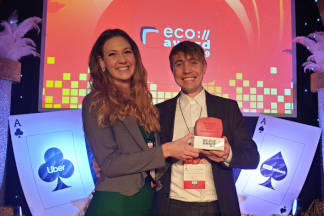
Germany's most secure cloud storage wins eco award 2019
The award ceremony of the eco - Verband der Internetwirtschaft e.V. took place for the 18th time on November 21, 2019 in Cologne and luckycloud won the eco://award in the category Hosting.
Updated: 22.06.2023
Learn more
luckycloud pro data room- the secure business cloud storage from Germany for individual requirements
The secure cloud services from Germany are well suited for companies with high data protection requirements. Larger teams can be easily administered with simple user and file management
Updated: 15.06.2023
Learn more
Snowden 2.0 - Spy affair now also in Germany?
Six years ago, the revelations of Edward Snowden have troubled many minds. But time heals all wounds. Thus, the data protection awareness of many people is receding into the background. The consequ...
Updated: 22.06.2023
Learn more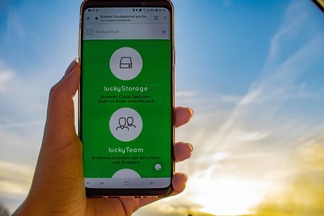
Introduction to luckycloud - Part 1 Login and storage features
Collaborative cooperation and data exchange used to be more difficult. How did you share data with colleagues, friends and family before the Cloud innovation? Using a USB stick or sending huge emai...
Updated: 22.06.2023
Learn more
The creation of luckycloud
The foundation of luckycloud results from the idea to be able to store data securely in a German cloud and independent of large corporations. Ever since Edward Snowden it has been clear: the digita...
Updated: 07.06.2023
Learn more
Is Google Drive secure? GDPR & data protection for businesses
Google Drive is a fixed part of collaboration in many companies. But once confidential documents, personal data or internal projects are stored in the cloud, looking at encryption alone is not enou...
Updated: 04.08.2026
Learn more
Cloud providers compared: which cloud gives companies more sovereignty?
Cloud providers no longer differ only in terms of storage space, pricing or ease of use. For companies, the key question is how well data, access rights, keys and processes remain controllable. Cho...
Updated: 04.08.2026
Learn more
Open Source Cloud: What Businesses Should Check Before Choosing a Provider
Open source is a good starting point, but it is not a guarantee of digital sovereignty. Whether a cloud solution truly makes businesses more independent depends on the interplay of openness, operat...
Updated: 29.05.2026
Learn more
Sovereign Cloud for Businesses: What True Control Really Depends On
When choosing a cloud solution, many companies first look at data protection, European hosting and regulatory security. These factors matter, but they are not enough. Whether a cloud is truly sover...
Updated: 28.04.2026
Learn more
Sovereign Cloud or Marketing? How to Spot Sovereignty Washing
Many companies believe they have their cloud under control. Their data is stored in Europe, the provider advertises sovereignty, and the solution works reliably in daily operations. But the reality...
Updated: 25.03.2026
Learn more
Why luckycloud Is Now Available in the Microsoft Store
For professional use of cloud solutions, functionality alone is not enough. Especially for companies and organizations, it is equally important how software is delivered and how seamlessly it integ...
Updated: 10.02.2026
Learn more
Cloud Trends 2026 for Businesses: Digital Sovereignty, Geopatriation & Data Spaces
2026 marks a turning point for cloud strategies. Companies want to remain scalable without losing control over data, infrastructure, and security. Regulatory requirements, technological change, and...
Updated: 07.01.2026
Learn more
2025 at luckycloud: A Look Back at Cloud Developments and Digital Collaboration
2025 was a year in which many companies began to consciously question their digital dependencies. Data protection, control over data, and the question of who is entrusted with digital infrastructur...
Updated: 02.12.2025
Learn more
Digital Sovereignty 2026: Open Source as the Foundation of Independent Cloud Systems
Data protection and digital sovereignty are often equated. In practice, however, the two terms describe different goals. Data protection fulfills legal requirements. Digital sovereignty ensures tec...
Updated: 20.11.2025
Learn more
Fair Cloud Solution “made in Germany”: luckycloud Wins German Fairness Award Again
In 2025, luckycloud is once again among the winners of the German Fairness Award. This independent award, presented by DISQ and ntv, is based on around 66,500 consumer evaluations and honors compan...
Updated: 28.10.2025
Learn more
White Label Cloud for Businesses – luckycloud Wins Innovation Award 2025
On September 11, 2025, luckycloud was honored with the BIG BANG INNOVATION AWARD in Berlin, winning in the Technology Innovation category. The award recognized the solution “luckycloud Enterprise –...
Updated: 19.09.2025
Learn more
What is cloud storage – and what really matters when choosing one?
Cloud storage today is much more than just a virtual filing cabinet. For those who work on the go, share files, or want to store data securely, cloud storage is almost essential. It offers location...
Updated: 19.09.2025
Learn more
Pros and Cons of Open Source Cloud Storage
Cloud solutions have long become part of everyday digital life. They simplify data access, enhance collaboration, and enable scalability. However, relying on proprietary providers often means losin...
Updated: 21.08.2025
Learn more
Sustainable Cloud Storage from Germany – More Than Just a Green Label
It’s no secret that digital infrastructure consumes a great deal of energy. The cloud isn’t invisible – it runs on servers around the clock. Anyone concerned with the climate impact of IT should as...
Updated: 30.06.2025
Learn more
Air-Gapped Cloud vs. Sovereign Cloud: Isolation Doesn’t Equal Security
The German armed forces use them. Government agencies rely on them. And major providers promote them as the security solution of the future: air-gapped clouds. It all sounds like digital isolation,...
Updated: 13.06.2025
Learn more
Privacy by Design: How luckycloud Handles Investigation Requests
Investigation requests to cloud providers are sensitive – legally, technically, and emotionally. Anyone working in the cloud must be able to trust that sensitive data won’t be handed over lightly....
Updated: 23.05.2025
Learn more
Switch cloud provider: Three simple steps to an alternative cloud solution
What should you do if your current cloud provider suddenly shuts down its service? That’s exactly what’s happening with DriveOnWeb right now: users need to secure their data and quickly switch to a...
Updated: 08.04.2025
Learn more
Cloud Backup: These Strong Backup Concepts Are Essential in the Cloud
Whether it’s critical business data or personal memories – data loss can be painful. A cloud backup is the best protection against hardware failures, cyber-attacks, or accidental deletion. However,...
Updated: 06.03.2025
Learn more
Digital Sovereignty in Uncertain Times: Why German Companies Should Act Now
The political developments in the USA are raising new questions about data security. President Donald Trump and tech mogul Elon Musk are causing uncertainty among German companies. Not least, Musk'...
Updated: 18.02.2025
Learn more
The new luckycloud Sync Client: Our open-source development for your data security and flexibility
Our new luckycloud Sync Client is now available! It simplifies, secures, and enhances the synchronization of your local data with luckycloud. In this blog post, you'll discover its key features and...
Updated: 21.05.2026
Learn more
We did it again! luckycloud wins the German Fairness Award 2024.
What an honor! For the second time in a row, we are thrilled to receive the German Fairness Award – and we couldn't be prouder. This special recognition, which once again names us the fairest cloud...
Updated: 17.10.2024
Learn more
luckycloud is the test winner in the cloud storage comparison – Top score 1.0 by trusted.de!
What an achievement! trusted.de, one of the leading review platforms for business tools and software, awarded luckycloud the highest score of 1.0 as the only cloud storage service in the test. Our...
Updated: 17.10.2024
Learn more
Optimize cloud costs and save your IT budget: 4 tips for rightsizing
Cloud applications are on the rise. They offer numerous advantages for companies in particular: flexibility, scalability, mobility, automation, efficiency, and cost savings. However, caution is adv...
Updated: 12.08.2024
Learn more
Cloud for Public Administration: How the Gütersloh District is Mastering the Digital Transformation
The Gütersloh District has successfully addressed the current challenges facing authorities, municipalities, and public administrations by introducing an innovative solution for secure data exchang...
Updated: 29.07.2024
Learn more
iCloud Alternatives Reviewed: Cloud Storage for iOS Compared
Do users of cloud storage solutions need to fear that deleted data is never truly removed by the providers? Recently, Apple users reported that deleted pictures reappeared on their devices after a...
Updated: 06.06.2024
Learn more
The new luckycloud Android App: A Milestone in Cloud Storage for Android
At luckycloud, security, data protection, flexibility, and maximum transparency are always our priorities. With our brand-new luckycloud app for Android, we are now setting new standards for the us...
Updated: 31.07.2024
Learn more
From Teamplace to luckycloud: Find the Right Cloud Storage for Your Needs
When the online storage provider Teamplace discontinues its service on June 30, 2024, many of its customers are faced with the important decision of where they want to securely store their data in...
Updated: 26.03.2024
Learn more
5 cloud trends in 2024: a look into the near future
Companies without cloud applications are a rarity today. According to digital association Bitkom, nine out of ten companies already rely on cloud computing. A trend that will continue to grow in th...
Updated: 29.01.2024
Learn more
luckycloud relaunch: Improved cloud storage for maximum data security and usability
luckycloud has always focused on security, data protection, flexibility and maximum transparency. With our current relaunch, we are setting new standards for cloud storage. In this article, we pres...
Updated: 09.11.2023
Learn more
We made it! luckycloud wins German Fairness Award 2023
What an evening! Last Thursday, we took first place in the cloud provider category of the German Fairness Award. We are still quite overwhelmed and happy about all the different aspects.
Updated: 27.10.2023
Learn more
FeLiTEC relies on luckycloud: Why the automotive industry fares best with smart cloud solutions
Digitization has permeated the most diverse areas of life. In the mobility industry, too, the transformation has come into sharper focus in recent years. If automotive manufacturers fail to jump on...
Updated: 27.10.2023
Learn more
Cloud storage in comparison - "Best Cloud Provider" vs. privacy?
On websites and in search engine results there is always talk of "Best Cloud Provider in Comparison". But what makes the "best cloud provider" actually? Is it the big companies that scream the lou...
Updated: 04.08.2026
Learn more
luckycloud's cloud storage scores with high availability - together we are stronger!
The protection goals of integrity, availability and confidentiality are among the most important and security-relevant factors in cloud computing. Many cloud providers find the availability or high...
Updated: 22.06.2023
Learn more
Germany's most secure cloud storage wins eco award 2019
The award ceremony of the eco - Verband der Internetwirtschaft e.V. took place for the 18th time on November 21, 2019 in Cologne and luckycloud won the eco://award in the category Hosting.
Updated: 22.06.2023
Learn more
luckycloud pro data room- the secure business cloud storage from Germany for individual requirements
The secure cloud services from Germany are well suited for companies with high data protection requirements. Larger teams can be easily administered with simple user and file management
Updated: 15.06.2023
Learn more
Snowden 2.0 - Spy affair now also in Germany?
Six years ago, the revelations of Edward Snowden have troubled many minds. But time heals all wounds. Thus, the data protection awareness of many people is receding into the background. The consequ...
Updated: 22.06.2023
Learn more
Introduction to luckycloud - Part 1 Login and storage features
Collaborative cooperation and data exchange used to be more difficult. How did you share data with colleagues, friends and family before the Cloud innovation? Using a USB stick or sending huge emai...
Updated: 22.06.2023
Learn more
The creation of luckycloud
The foundation of luckycloud results from the idea to be able to store data securely in a German cloud and independent of large corporations. Ever since Edward Snowden it has been clear: the digita...
Updated: 07.06.2023
Learn more
Is Google Drive secure? GDPR & data protection for businesses
Google Drive is a fixed part of collaboration in many companies. But once confidential documents, personal data or internal projects are stored in the cloud, looking at encryption alone is not enou...
Updated: 04.08.2026
Learn more
Cloud providers compared: which cloud gives companies more sovereignty?
Cloud providers no longer differ only in terms of storage space, pricing or ease of use. For companies, the key question is how well data, access rights, keys and processes remain controllable. Cho...
Updated: 04.08.2026
Learn more
Open Source Cloud: What Businesses Should Check Before Choosing a Provider
Open source is a good starting point, but it is not a guarantee of digital sovereignty. Whether a cloud solution truly makes businesses more independent depends on the interplay of openness, operat...
Updated: 29.05.2026
Learn more
Sovereign Cloud for Businesses: What True Control Really Depends On
When choosing a cloud solution, many companies first look at data protection, European hosting and regulatory security. These factors matter, but they are not enough. Whether a cloud is truly sover...
Updated: 28.04.2026
Learn more
Sovereign Cloud or Marketing? How to Spot Sovereignty Washing
Many companies believe they have their cloud under control. Their data is stored in Europe, the provider advertises sovereignty, and the solution works reliably in daily operations. But the reality...
Updated: 25.03.2026
Learn more
Why luckycloud Is Now Available in the Microsoft Store
For professional use of cloud solutions, functionality alone is not enough. Especially for companies and organizations, it is equally important how software is delivered and how seamlessly it integ...
Updated: 10.02.2026
Learn more
Cloud Trends 2026 for Businesses: Digital Sovereignty, Geopatriation & Data Spaces
2026 marks a turning point for cloud strategies. Companies want to remain scalable without losing control over data, infrastructure, and security. Regulatory requirements, technological change, and...
Updated: 07.01.2026
Learn more
2025 at luckycloud: A Look Back at Cloud Developments and Digital Collaboration
2025 was a year in which many companies began to consciously question their digital dependencies. Data protection, control over data, and the question of who is entrusted with digital infrastructur...
Updated: 02.12.2025
Learn more
Digital Sovereignty 2026: Open Source as the Foundation of Independent Cloud Systems
Data protection and digital sovereignty are often equated. In practice, however, the two terms describe different goals. Data protection fulfills legal requirements. Digital sovereignty ensures tec...
Updated: 20.11.2025
Learn more
Fair Cloud Solution “made in Germany”: luckycloud Wins German Fairness Award Again
In 2025, luckycloud is once again among the winners of the German Fairness Award. This independent award, presented by DISQ and ntv, is based on around 66,500 consumer evaluations and honors compan...
Updated: 28.10.2025
Learn more
White Label Cloud for Businesses – luckycloud Wins Innovation Award 2025
On September 11, 2025, luckycloud was honored with the BIG BANG INNOVATION AWARD in Berlin, winning in the Technology Innovation category. The award recognized the solution “luckycloud Enterprise –...
Updated: 19.09.2025
Learn more
What is cloud storage – and what really matters when choosing one?
Cloud storage today is much more than just a virtual filing cabinet. For those who work on the go, share files, or want to store data securely, cloud storage is almost essential. It offers location...
Updated: 19.09.2025
Learn more
Pros and Cons of Open Source Cloud Storage
Cloud solutions have long become part of everyday digital life. They simplify data access, enhance collaboration, and enable scalability. However, relying on proprietary providers often means losin...
Updated: 21.08.2025
Learn more
Sustainable Cloud Storage from Germany – More Than Just a Green Label
It’s no secret that digital infrastructure consumes a great deal of energy. The cloud isn’t invisible – it runs on servers around the clock. Anyone concerned with the climate impact of IT should as...
Updated: 30.06.2025
Learn more
Air-Gapped Cloud vs. Sovereign Cloud: Isolation Doesn’t Equal Security
The German armed forces use them. Government agencies rely on them. And major providers promote them as the security solution of the future: air-gapped clouds. It all sounds like digital isolation,...
Updated: 13.06.2025
Learn more
Privacy by Design: How luckycloud Handles Investigation Requests
Investigation requests to cloud providers are sensitive – legally, technically, and emotionally. Anyone working in the cloud must be able to trust that sensitive data won’t be handed over lightly....
Updated: 23.05.2025
Learn more
Switch cloud provider: Three simple steps to an alternative cloud solution
What should you do if your current cloud provider suddenly shuts down its service? That’s exactly what’s happening with DriveOnWeb right now: users need to secure their data and quickly switch to a...
Updated: 08.04.2025
Learn more
Cloud Backup: These Strong Backup Concepts Are Essential in the Cloud
Whether it’s critical business data or personal memories – data loss can be painful. A cloud backup is the best protection against hardware failures, cyber-attacks, or accidental deletion. However,...
Updated: 06.03.2025
Learn more
Digital Sovereignty in Uncertain Times: Why German Companies Should Act Now
The political developments in the USA are raising new questions about data security. President Donald Trump and tech mogul Elon Musk are causing uncertainty among German companies. Not least, Musk'...
Updated: 18.02.2025
Learn more
The new luckycloud Sync Client: Our open-source development for your data security and flexibility
Our new luckycloud Sync Client is now available! It simplifies, secures, and enhances the synchronization of your local data with luckycloud. In this blog post, you'll discover its key features and...
Updated: 21.05.2026
Learn more
We did it again! luckycloud wins the German Fairness Award 2024.
What an honor! For the second time in a row, we are thrilled to receive the German Fairness Award – and we couldn't be prouder. This special recognition, which once again names us the fairest cloud...
Updated: 17.10.2024
Learn more
luckycloud is the test winner in the cloud storage comparison – Top score 1.0 by trusted.de!
What an achievement! trusted.de, one of the leading review platforms for business tools and software, awarded luckycloud the highest score of 1.0 as the only cloud storage service in the test. Our...
Updated: 17.10.2024
Learn more
Optimize cloud costs and save your IT budget: 4 tips for rightsizing
Cloud applications are on the rise. They offer numerous advantages for companies in particular: flexibility, scalability, mobility, automation, efficiency, and cost savings. However, caution is adv...
Updated: 12.08.2024
Learn more
Cloud for Public Administration: How the Gütersloh District is Mastering the Digital Transformation
The Gütersloh District has successfully addressed the current challenges facing authorities, municipalities, and public administrations by introducing an innovative solution for secure data exchang...
Updated: 29.07.2024
Learn more
iCloud Alternatives Reviewed: Cloud Storage for iOS Compared
Do users of cloud storage solutions need to fear that deleted data is never truly removed by the providers? Recently, Apple users reported that deleted pictures reappeared on their devices after a...
Updated: 06.06.2024
Learn more
The new luckycloud Android App: A Milestone in Cloud Storage for Android
At luckycloud, security, data protection, flexibility, and maximum transparency are always our priorities. With our brand-new luckycloud app for Android, we are now setting new standards for the us...
Updated: 31.07.2024
Learn more
From Teamplace to luckycloud: Find the Right Cloud Storage for Your Needs
When the online storage provider Teamplace discontinues its service on June 30, 2024, many of its customers are faced with the important decision of where they want to securely store their data in...
Updated: 26.03.2024
Learn more
5 cloud trends in 2024: a look into the near future
Companies without cloud applications are a rarity today. According to digital association Bitkom, nine out of ten companies already rely on cloud computing. A trend that will continue to grow in th...
Updated: 29.01.2024
Learn more
luckycloud relaunch: Improved cloud storage for maximum data security and usability
luckycloud has always focused on security, data protection, flexibility and maximum transparency. With our current relaunch, we are setting new standards for cloud storage. In this article, we pres...
Updated: 09.11.2023
Learn more
We made it! luckycloud wins German Fairness Award 2023
What an evening! Last Thursday, we took first place in the cloud provider category of the German Fairness Award. We are still quite overwhelmed and happy about all the different aspects.
Updated: 27.10.2023
Learn more
FeLiTEC relies on luckycloud: Why the automotive industry fares best with smart cloud solutions
Digitization has permeated the most diverse areas of life. In the mobility industry, too, the transformation has come into sharper focus in recent years. If automotive manufacturers fail to jump on...
Updated: 27.10.2023
Learn more
Cloud storage in comparison - "Best Cloud Provider" vs. privacy?
On websites and in search engine results there is always talk of "Best Cloud Provider in Comparison". But what makes the "best cloud provider" actually? Is it the big companies that scream the lou...
Updated: 04.08.2026
Learn more
luckycloud's cloud storage scores with high availability - together we are stronger!
The protection goals of integrity, availability and confidentiality are among the most important and security-relevant factors in cloud computing. Many cloud providers find the availability or high...
Updated: 22.06.2023
Learn more
Germany's most secure cloud storage wins eco award 2019
The award ceremony of the eco - Verband der Internetwirtschaft e.V. took place for the 18th time on November 21, 2019 in Cologne and luckycloud won the eco://award in the category Hosting.
Updated: 22.06.2023
Learn more
luckycloud pro data room- the secure business cloud storage from Germany for individual requirements
The secure cloud services from Germany are well suited for companies with high data protection requirements. Larger teams can be easily administered with simple user and file management
Updated: 15.06.2023
Learn more
Snowden 2.0 - Spy affair now also in Germany?
Six years ago, the revelations of Edward Snowden have troubled many minds. But time heals all wounds. Thus, the data protection awareness of many people is receding into the background. The consequ...
Updated: 22.06.2023
Learn more
Introduction to luckycloud - Part 1 Login and storage features
Collaborative cooperation and data exchange used to be more difficult. How did you share data with colleagues, friends and family before the Cloud innovation? Using a USB stick or sending huge emai...
Updated: 22.06.2023
Learn more
The creation of luckycloud
The foundation of luckycloud results from the idea to be able to store data securely in a German cloud and independent of large corporations. Ever since Edward Snowden it has been clear: the digita...
Updated: 07.06.2023
Learn more
Is Google Drive secure? GDPR & data protection for businesses
Google Drive is a fixed part of collaboration in many companies. But once confidential documents, personal data or internal projects are stored in the cloud, looking at encryption alone is not enou...
Updated: 04.08.2026
Learn more
Cloud providers compared: which cloud gives companies more sovereignty?
Cloud providers no longer differ only in terms of storage space, pricing or ease of use. For companies, the key question is how well data, access rights, keys and processes remain controllable. Cho...
Updated: 04.08.2026
Learn more
Open Source Cloud: What Businesses Should Check Before Choosing a Provider
Open source is a good starting point, but it is not a guarantee of digital sovereignty. Whether a cloud solution truly makes businesses more independent depends on the interplay of openness, operat...
Updated: 29.05.2026
Learn more
Sovereign Cloud for Businesses: What True Control Really Depends On
When choosing a cloud solution, many companies first look at data protection, European hosting and regulatory security. These factors matter, but they are not enough. Whether a cloud is truly sover...
Updated: 28.04.2026
Learn more
Sovereign Cloud or Marketing? How to Spot Sovereignty Washing
Many companies believe they have their cloud under control. Their data is stored in Europe, the provider advertises sovereignty, and the solution works reliably in daily operations. But the reality...
Updated: 25.03.2026
Learn more
Why luckycloud Is Now Available in the Microsoft Store
For professional use of cloud solutions, functionality alone is not enough. Especially for companies and organizations, it is equally important how software is delivered and how seamlessly it integ...
Updated: 10.02.2026
Learn more
Cloud Trends 2026 for Businesses: Digital Sovereignty, Geopatriation & Data Spaces
2026 marks a turning point for cloud strategies. Companies want to remain scalable without losing control over data, infrastructure, and security. Regulatory requirements, technological change, and...
Updated: 07.01.2026
Learn more
2025 at luckycloud: A Look Back at Cloud Developments and Digital Collaboration
2025 was a year in which many companies began to consciously question their digital dependencies. Data protection, control over data, and the question of who is entrusted with digital infrastructur...
Updated: 02.12.2025
Learn more
Digital Sovereignty 2026: Open Source as the Foundation of Independent Cloud Systems
Data protection and digital sovereignty are often equated. In practice, however, the two terms describe different goals. Data protection fulfills legal requirements. Digital sovereignty ensures tec...
Updated: 20.11.2025
Learn more
Fair Cloud Solution “made in Germany”: luckycloud Wins German Fairness Award Again
In 2025, luckycloud is once again among the winners of the German Fairness Award. This independent award, presented by DISQ and ntv, is based on around 66,500 consumer evaluations and honors compan...
Updated: 28.10.2025
Learn more
White Label Cloud for Businesses – luckycloud Wins Innovation Award 2025
On September 11, 2025, luckycloud was honored with the BIG BANG INNOVATION AWARD in Berlin, winning in the Technology Innovation category. The award recognized the solution “luckycloud Enterprise –...
Updated: 19.09.2025
Learn more
What is cloud storage – and what really matters when choosing one?
Cloud storage today is much more than just a virtual filing cabinet. For those who work on the go, share files, or want to store data securely, cloud storage is almost essential. It offers location...
Updated: 19.09.2025
Learn more
Pros and Cons of Open Source Cloud Storage
Cloud solutions have long become part of everyday digital life. They simplify data access, enhance collaboration, and enable scalability. However, relying on proprietary providers often means losin...
Updated: 21.08.2025
Learn more
Sustainable Cloud Storage from Germany – More Than Just a Green Label
It’s no secret that digital infrastructure consumes a great deal of energy. The cloud isn’t invisible – it runs on servers around the clock. Anyone concerned with the climate impact of IT should as...
Updated: 30.06.2025
Learn more
Air-Gapped Cloud vs. Sovereign Cloud: Isolation Doesn’t Equal Security
The German armed forces use them. Government agencies rely on them. And major providers promote them as the security solution of the future: air-gapped clouds. It all sounds like digital isolation,...
Updated: 13.06.2025
Learn more
Privacy by Design: How luckycloud Handles Investigation Requests
Investigation requests to cloud providers are sensitive – legally, technically, and emotionally. Anyone working in the cloud must be able to trust that sensitive data won’t be handed over lightly....
Updated: 23.05.2025
Learn more
Switch cloud provider: Three simple steps to an alternative cloud solution
What should you do if your current cloud provider suddenly shuts down its service? That’s exactly what’s happening with DriveOnWeb right now: users need to secure their data and quickly switch to a...
Updated: 08.04.2025
Learn more
Cloud Backup: These Strong Backup Concepts Are Essential in the Cloud
Whether it’s critical business data or personal memories – data loss can be painful. A cloud backup is the best protection against hardware failures, cyber-attacks, or accidental deletion. However,...
Updated: 06.03.2025
Learn more
Digital Sovereignty in Uncertain Times: Why German Companies Should Act Now
The political developments in the USA are raising new questions about data security. President Donald Trump and tech mogul Elon Musk are causing uncertainty among German companies. Not least, Musk'...
Updated: 18.02.2025
Learn more
The new luckycloud Sync Client: Our open-source development for your data security and flexibility
Our new luckycloud Sync Client is now available! It simplifies, secures, and enhances the synchronization of your local data with luckycloud. In this blog post, you'll discover its key features and...
Updated: 21.05.2026
Learn more
We did it again! luckycloud wins the German Fairness Award 2024.
What an honor! For the second time in a row, we are thrilled to receive the German Fairness Award – and we couldn't be prouder. This special recognition, which once again names us the fairest cloud...
Updated: 17.10.2024
Learn more
luckycloud is the test winner in the cloud storage comparison – Top score 1.0 by trusted.de!
What an achievement! trusted.de, one of the leading review platforms for business tools and software, awarded luckycloud the highest score of 1.0 as the only cloud storage service in the test. Our...
Updated: 17.10.2024
Learn more
Optimize cloud costs and save your IT budget: 4 tips for rightsizing
Cloud applications are on the rise. They offer numerous advantages for companies in particular: flexibility, scalability, mobility, automation, efficiency, and cost savings. However, caution is adv...
Updated: 12.08.2024
Learn more
Cloud for Public Administration: How the Gütersloh District is Mastering the Digital Transformation
The Gütersloh District has successfully addressed the current challenges facing authorities, municipalities, and public administrations by introducing an innovative solution for secure data exchang...
Updated: 29.07.2024
Learn more
iCloud Alternatives Reviewed: Cloud Storage for iOS Compared
Do users of cloud storage solutions need to fear that deleted data is never truly removed by the providers? Recently, Apple users reported that deleted pictures reappeared on their devices after a...
Updated: 06.06.2024
Learn more
The new luckycloud Android App: A Milestone in Cloud Storage for Android
At luckycloud, security, data protection, flexibility, and maximum transparency are always our priorities. With our brand-new luckycloud app for Android, we are now setting new standards for the us...
Updated: 31.07.2024
Learn more
From Teamplace to luckycloud: Find the Right Cloud Storage for Your Needs
When the online storage provider Teamplace discontinues its service on June 30, 2024, many of its customers are faced with the important decision of where they want to securely store their data in...
Updated: 26.03.2024
Learn more
5 cloud trends in 2024: a look into the near future
Companies without cloud applications are a rarity today. According to digital association Bitkom, nine out of ten companies already rely on cloud computing. A trend that will continue to grow in th...
Updated: 29.01.2024
Learn more
luckycloud relaunch: Improved cloud storage for maximum data security and usability
luckycloud has always focused on security, data protection, flexibility and maximum transparency. With our current relaunch, we are setting new standards for cloud storage. In this article, we pres...
Updated: 09.11.2023
Learn more
We made it! luckycloud wins German Fairness Award 2023
What an evening! Last Thursday, we took first place in the cloud provider category of the German Fairness Award. We are still quite overwhelmed and happy about all the different aspects.
Updated: 27.10.2023
Learn more
FeLiTEC relies on luckycloud: Why the automotive industry fares best with smart cloud solutions
Digitization has permeated the most diverse areas of life. In the mobility industry, too, the transformation has come into sharper focus in recent years. If automotive manufacturers fail to jump on...
Updated: 27.10.2023
Learn more
Cloud storage in comparison - "Best Cloud Provider" vs. privacy?
On websites and in search engine results there is always talk of "Best Cloud Provider in Comparison". But what makes the "best cloud provider" actually? Is it the big companies that scream the lou...
Updated: 04.08.2026
Learn more
luckycloud's cloud storage scores with high availability - together we are stronger!
The protection goals of integrity, availability and confidentiality are among the most important and security-relevant factors in cloud computing. Many cloud providers find the availability or high...
Updated: 22.06.2023
Learn more
Germany's most secure cloud storage wins eco award 2019
The award ceremony of the eco - Verband der Internetwirtschaft e.V. took place for the 18th time on November 21, 2019 in Cologne and luckycloud won the eco://award in the category Hosting.
Updated: 22.06.2023
Learn more
luckycloud pro data room- the secure business cloud storage from Germany for individual requirements
The secure cloud services from Germany are well suited for companies with high data protection requirements. Larger teams can be easily administered with simple user and file management
Updated: 15.06.2023
Learn more
Snowden 2.0 - Spy affair now also in Germany?
Six years ago, the revelations of Edward Snowden have troubled many minds. But time heals all wounds. Thus, the data protection awareness of many people is receding into the background. The consequ...
Updated: 22.06.2023
Learn more
Introduction to luckycloud - Part 1 Login and storage features
Collaborative cooperation and data exchange used to be more difficult. How did you share data with colleagues, friends and family before the Cloud innovation? Using a USB stick or sending huge emai...
Updated: 22.06.2023
Learn more
The creation of luckycloud
The foundation of luckycloud results from the idea to be able to store data securely in a German cloud and independent of large corporations. Ever since Edward Snowden it has been clear: the digita...
Updated: 07.06.2023
Learn more