















Remote nowBooking an appointment
Summary



Is Google Drive secure? GDPR & data protection for businesses
The short answer: Google Drive meets common technical security standards. For companies, however, key sovereignty, platform dependency and the ability to switch individual services again later also matter.
How secure is Google Drive technically?
Google encrypts files in Drive as well as content from Docs, Sheets and Slides during transmission and at rest using AES-256. Depending on the Google Workspace edition, central administration, two-factor authentication, logging and data regions are added.
For sensitive content, Google offers client-side encryption, CSE for short. It must be set up and connected to a key and identity service. When CSE is correctly implemented, Google cannot decrypt the protected content.
Can Google access files in Google Drive?
In the standard model, Google manages the technical keys. This allows the platform to process content for search, preview, editing and security functions. Normal use is therefore not a zero-knowledge architecture.
With CSE, the organisation takes over key control for protected content. This security is edition-dependent and increases administrative effort.
Is Google Drive GDPR-compliant?
Google Drive is neither automatically GDPR-compliant nor fundamentally unlawful. What matters are the purpose, data types, data processing agreement, permissions, deletion periods as well as technical and organisational measures.
For transfers of personal data to Google LLC, the EU-US Data Privacy Framework can currently serve as a legal basis. However, this only addresses the data transfer – not the strategic question of which legal framework, key management and platform dependency a company exposes its data to. Companies with high requirements for control and digital sovereignty should therefore also take provider structure and technical architecture into account. More and more companies are therefore choosing providers that store data exclusively in German data centres and work according to the zero-knowledge principle. This keeps key sovereignty with the users at all times.
What are the disadvantages of Google Drive for companies?
The central strategic disadvantage is platform dependency. In Google Workspace, Drive, Gmail, Docs, Calendar, Meet, identities and AI functions are closely coupled. When switching, companies often have to reorganise not only files, but also accounts, permissions, communication and processes.
According to Bitkom, 85 percent of companies believe that Germany is too dependent on US cloud providers. Cloud services should therefore also be evaluated based on interchangeability, export options and long-term control. This is exactly what digital sovereignty is about.
Google Drive and luckycloud compared
| Criterion | Google Drive / Workspace | luckycloud |
|---|---|---|
| Basic model | Closely coupled ecosystem | Modularly combinable services |
| Infrastructure | US provider; data regions depend on edition | Own servers in Germany |
| Key model | Standard keys with Google; CSE additionally | Zero knowledge; key sovereignty with the user |
| Additional protection | CSE in supported editions | Optional client-side end-to-end encryption |
| Collaboration | Services closely coupled | Cloud storage, mail and calendar, chat and meetings bookable modularly |
When does an independent alternative become relevant?
Companies should consider whether they want to permanently bind cloud storage, communication and collaboration to a single proprietary ecosystem. An independent alternative becomes relevant when central functions should remain available, but individual components should remain interchangeable.
luckycloud provides cloud storage, mail and calendar, chat and meetings as modularly bookable communication tools. Companies choose the building blocks they need individually or together, without tying their entire working environment to one platform.
The zero-knowledge principle is part of the basic architecture: passwords and file keys are not stored, and key sovereignty remains with the users. For particularly sensitive data, client-side end-to-end encrypted directories can be created. External sharing links are deliberately excluded there so that only authorised users with the required key can access them. For regular directories, secured sharing options are available, for example for secure data exchange with customers.
Which cloud model gives companies more control?
Google Drive can be used securely under suitable contractual, technical and organisational conditions. With Google Workspace, however, a company also chooses a closely coupled platform ecosystem.
A more sovereign model keeps services modular, keys under user control and the IT architecture adaptable. luckycloud combines German infrastructure, zero knowledge, open-source components and modularly bookable functions for cloud storage and communication. The right combination can be put together in the luckycloud product advisor.
Find out now which luckycloud solution fits your company or get started directly with luckycloud Cloud Services and test luckycloud free for 14 days.
You might also be interested in

Is Google Drive secure? GDPR & data protection for businesses
Google Drive is a fixed part of collaboration in many companies. But once confidential documents, personal data or internal projects are stored in the cloud, looking at encryption alone is not enou...
Updated: 04.08.2026
Learn more
Cloud providers compared: which cloud gives companies more sovereignty?
Cloud providers no longer differ only in terms of storage space, pricing or ease of use. For companies, the key question is how well data, access rights, keys and processes remain controllable. Cho...
Updated: 05.08.2026
Learn more
Open Source Cloud: What Businesses Should Check Before Choosing a Provider
Open source is a good starting point, but it is not a guarantee of digital sovereignty. Whether a cloud solution truly makes businesses more independent depends on the interplay of openness, operat...
Updated: 29.05.2026
Learn more
Sovereign Cloud for Businesses: What True Control Really Depends On
When choosing a cloud solution, many companies first look at data protection, European hosting and regulatory security. These factors matter, but they are not enough. Whether a cloud is truly sover...
Updated: 28.04.2026
Learn more
Sovereign Cloud or Marketing? How to Spot Sovereignty Washing
Many companies believe they have their cloud under control. Their data is stored in Europe, the provider advertises sovereignty, and the solution works reliably in daily operations. But the reality...
Updated: 25.03.2026
Learn more
Why luckycloud Is Now Available in the Microsoft Store
For professional use of cloud solutions, functionality alone is not enough. Especially for companies and organizations, it is equally important how software is delivered and how seamlessly it integ...
Updated: 10.02.2026
Learn more
Cloud Trends 2026 for Businesses: Digital Sovereignty, Geopatriation & Data Spaces
2026 marks a turning point for cloud strategies. Companies want to remain scalable without losing control over data, infrastructure, and security. Regulatory requirements, technological change, and...
Updated: 07.01.2026
Learn more
2025 at luckycloud: A Look Back at Cloud Developments and Digital Collaboration
2025 was a year in which many companies began to consciously question their digital dependencies. Data protection, control over data, and the question of who is entrusted with digital infrastructur...
Updated: 02.12.2025
Learn more
Digital Sovereignty 2026: Open Source as the Foundation of Independent Cloud Systems
Data protection and digital sovereignty are often equated. In practice, however, the two terms describe different goals. Data protection fulfills legal requirements. Digital sovereignty ensures tec...
Updated: 20.11.2025
Learn more
Fair Cloud Solution “made in Germany”: luckycloud Wins German Fairness Award Again
In 2025, luckycloud is once again among the winners of the German Fairness Award. This independent award, presented by DISQ and ntv, is based on around 66,500 consumer evaluations and honors compan...
Updated: 28.10.2025
Learn more
White Label Cloud for Businesses – luckycloud Wins Innovation Award 2025
On September 11, 2025, luckycloud was honored with the BIG BANG INNOVATION AWARD in Berlin, winning in the Technology Innovation category. The award recognized the solution “luckycloud Enterprise –...
Updated: 19.09.2025
Learn more
What is cloud storage – and what really matters when choosing one?
Cloud storage today is much more than just a virtual filing cabinet. For those who work on the go, share files, or want to store data securely, cloud storage is almost essential. It offers location...
Updated: 19.09.2025
Learn more
Pros and Cons of Open Source Cloud Storage
Cloud solutions have long become part of everyday digital life. They simplify data access, enhance collaboration, and enable scalability. However, relying on proprietary providers often means losin...
Updated: 21.08.2025
Learn more
Sustainable Cloud Storage from Germany – More Than Just a Green Label
It’s no secret that digital infrastructure consumes a great deal of energy. The cloud isn’t invisible – it runs on servers around the clock. Anyone concerned with the climate impact of IT should as...
Updated: 30.06.2025
Learn more
Air-Gapped Cloud vs. Sovereign Cloud: Isolation Doesn’t Equal Security
The German armed forces use them. Government agencies rely on them. And major providers promote them as the security solution of the future: air-gapped clouds. It all sounds like digital isolation,...
Updated: 13.06.2025
Learn more
Privacy by Design: How luckycloud Handles Investigation Requests
Investigation requests to cloud providers are sensitive – legally, technically, and emotionally. Anyone working in the cloud must be able to trust that sensitive data won’t be handed over lightly....
Updated: 23.05.2025
Learn more
Switch cloud provider: Three simple steps to an alternative cloud solution
What should you do if your current cloud provider suddenly shuts down its service? That’s exactly what’s happening with DriveOnWeb right now: users need to secure their data and quickly switch to a...
Updated: 08.04.2025
Learn more
Cloud Backup: These Strong Backup Concepts Are Essential in the Cloud
Whether it’s critical business data or personal memories – data loss can be painful. A cloud backup is the best protection against hardware failures, cyber-attacks, or accidental deletion. However,...
Updated: 06.03.2025
Learn more
Digital Sovereignty in Uncertain Times: Why German Companies Should Act Now
The political developments in the USA are raising new questions about data security. President Donald Trump and tech mogul Elon Musk are causing uncertainty among German companies. Not least, Musk'...
Updated: 18.02.2025
Learn more
The new luckycloud Sync Client: Our open-source development for your data security and flexibility
Our new luckycloud Sync Client is now available! It simplifies, secures, and enhances the synchronization of your local data with luckycloud. In this blog post, you'll discover its key features and...
Updated: 21.05.2026
Learn more
We did it again! luckycloud wins the German Fairness Award 2024.
What an honor! For the second time in a row, we are thrilled to receive the German Fairness Award – and we couldn't be prouder. This special recognition, which once again names us the fairest cloud...
Updated: 17.10.2024
Learn more
luckycloud is the test winner in the cloud storage comparison – Top score 1.0 by trusted.de!
What an achievement! trusted.de, one of the leading review platforms for business tools and software, awarded luckycloud the highest score of 1.0 as the only cloud storage service in the test. Our...
Updated: 17.10.2024
Learn more
Optimize cloud costs and save your IT budget: 4 tips for rightsizing
Cloud applications are on the rise. They offer numerous advantages for companies in particular: flexibility, scalability, mobility, automation, efficiency, and cost savings. However, caution is adv...
Updated: 12.08.2024
Learn more
Cloud for Public Administration: How the Gütersloh District is Mastering the Digital Transformation
The Gütersloh District has successfully addressed the current challenges facing authorities, municipalities, and public administrations by introducing an innovative solution for secure data exchang...
Updated: 29.07.2024
Learn more
iCloud Alternatives Reviewed: Cloud Storage for iOS Compared
Do users of cloud storage solutions need to fear that deleted data is never truly removed by the providers? Recently, Apple users reported that deleted pictures reappeared on their devices after a...
Updated: 06.06.2024
Learn more
The new luckycloud Android App: A Milestone in Cloud Storage for Android
At luckycloud, security, data protection, flexibility, and maximum transparency are always our priorities. With our brand-new luckycloud app for Android, we are now setting new standards for the us...
Updated: 31.07.2024
Learn more
From Teamplace to luckycloud: Find the Right Cloud Storage for Your Needs
When the online storage provider Teamplace discontinues its service on June 30, 2024, many of its customers are faced with the important decision of where they want to securely store their data in...
Updated: 26.03.2024
Learn more
5 cloud trends in 2024: a look into the near future
Companies without cloud applications are a rarity today. According to digital association Bitkom, nine out of ten companies already rely on cloud computing. A trend that will continue to grow in th...
Updated: 29.01.2024
Learn more
luckycloud relaunch: Improved cloud storage for maximum data security and usability
luckycloud has always focused on security, data protection, flexibility and maximum transparency. With our current relaunch, we are setting new standards for cloud storage. In this article, we pres...
Updated: 09.11.2023
Learn more
We made it! luckycloud wins German Fairness Award 2023
What an evening! Last Thursday, we took first place in the cloud provider category of the German Fairness Award. We are still quite overwhelmed and happy about all the different aspects.
Updated: 27.10.2023
Learn more
FeLiTEC relies on luckycloud: Why the automotive industry fares best with smart cloud solutions
Digitization has permeated the most diverse areas of life. In the mobility industry, too, the transformation has come into sharper focus in recent years. If automotive manufacturers fail to jump on...
Updated: 27.10.2023
Learn more
luckycloud's cloud storage scores with high availability - together we are stronger!
The protection goals of integrity, availability and confidentiality are among the most important and security-relevant factors in cloud computing. Many cloud providers find the availability or high...
Updated: 22.06.2023
Learn more
Germany's most secure cloud storage wins eco award 2019
The award ceremony of the eco - Verband der Internetwirtschaft e.V. took place for the 18th time on November 21, 2019 in Cologne and luckycloud won the eco://award in the category Hosting.
Updated: 22.06.2023
Learn more
luckycloud pro data room- the secure business cloud storage from Germany for individual requirements
The secure cloud services from Germany are well suited for companies with high data protection requirements. Larger teams can be easily administered with simple user and file management
Updated: 15.06.2023
Learn more
Snowden 2.0 - Spy affair now also in Germany?
Six years ago, the revelations of Edward Snowden have troubled many minds. But time heals all wounds. Thus, the data protection awareness of many people is receding into the background. The consequ...
Updated: 22.06.2023
Learn more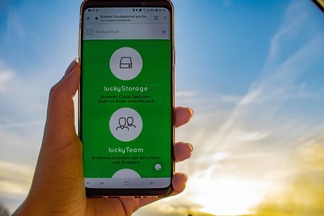
Introduction to luckycloud - Part 1 Login and storage features
Collaborative cooperation and data exchange used to be more difficult. How did you share data with colleagues, friends and family before the Cloud innovation? Using a USB stick or sending huge emai...
Updated: 22.06.2023
Learn more
The creation of luckycloud
The foundation of luckycloud results from the idea to be able to store data securely in a German cloud and independent of large corporations. Ever since Edward Snowden it has been clear: the digita...
Updated: 07.06.2023
Learn more
Is Google Drive secure? GDPR & data protection for businesses
Google Drive is a fixed part of collaboration in many companies. But once confidential documents, personal data or internal projects are stored in the cloud, looking at encryption alone is not enou...
Updated: 04.08.2026
Learn more
Cloud providers compared: which cloud gives companies more sovereignty?
Cloud providers no longer differ only in terms of storage space, pricing or ease of use. For companies, the key question is how well data, access rights, keys and processes remain controllable. Cho...
Updated: 05.08.2026
Learn more
Open Source Cloud: What Businesses Should Check Before Choosing a Provider
Open source is a good starting point, but it is not a guarantee of digital sovereignty. Whether a cloud solution truly makes businesses more independent depends on the interplay of openness, operat...
Updated: 29.05.2026
Learn more
Sovereign Cloud for Businesses: What True Control Really Depends On
When choosing a cloud solution, many companies first look at data protection, European hosting and regulatory security. These factors matter, but they are not enough. Whether a cloud is truly sover...
Updated: 28.04.2026
Learn more
Sovereign Cloud or Marketing? How to Spot Sovereignty Washing
Many companies believe they have their cloud under control. Their data is stored in Europe, the provider advertises sovereignty, and the solution works reliably in daily operations. But the reality...
Updated: 25.03.2026
Learn more
Why luckycloud Is Now Available in the Microsoft Store
For professional use of cloud solutions, functionality alone is not enough. Especially for companies and organizations, it is equally important how software is delivered and how seamlessly it integ...
Updated: 10.02.2026
Learn more
Cloud Trends 2026 for Businesses: Digital Sovereignty, Geopatriation & Data Spaces
2026 marks a turning point for cloud strategies. Companies want to remain scalable without losing control over data, infrastructure, and security. Regulatory requirements, technological change, and...
Updated: 07.01.2026
Learn more
2025 at luckycloud: A Look Back at Cloud Developments and Digital Collaboration
2025 was a year in which many companies began to consciously question their digital dependencies. Data protection, control over data, and the question of who is entrusted with digital infrastructur...
Updated: 02.12.2025
Learn more
Digital Sovereignty 2026: Open Source as the Foundation of Independent Cloud Systems
Data protection and digital sovereignty are often equated. In practice, however, the two terms describe different goals. Data protection fulfills legal requirements. Digital sovereignty ensures tec...
Updated: 20.11.2025
Learn more
Fair Cloud Solution “made in Germany”: luckycloud Wins German Fairness Award Again
In 2025, luckycloud is once again among the winners of the German Fairness Award. This independent award, presented by DISQ and ntv, is based on around 66,500 consumer evaluations and honors compan...
Updated: 28.10.2025
Learn more
White Label Cloud for Businesses – luckycloud Wins Innovation Award 2025
On September 11, 2025, luckycloud was honored with the BIG BANG INNOVATION AWARD in Berlin, winning in the Technology Innovation category. The award recognized the solution “luckycloud Enterprise –...
Updated: 19.09.2025
Learn more
What is cloud storage – and what really matters when choosing one?
Cloud storage today is much more than just a virtual filing cabinet. For those who work on the go, share files, or want to store data securely, cloud storage is almost essential. It offers location...
Updated: 19.09.2025
Learn more
Pros and Cons of Open Source Cloud Storage
Cloud solutions have long become part of everyday digital life. They simplify data access, enhance collaboration, and enable scalability. However, relying on proprietary providers often means losin...
Updated: 21.08.2025
Learn more
Sustainable Cloud Storage from Germany – More Than Just a Green Label
It’s no secret that digital infrastructure consumes a great deal of energy. The cloud isn’t invisible – it runs on servers around the clock. Anyone concerned with the climate impact of IT should as...
Updated: 30.06.2025
Learn more
Air-Gapped Cloud vs. Sovereign Cloud: Isolation Doesn’t Equal Security
The German armed forces use them. Government agencies rely on them. And major providers promote them as the security solution of the future: air-gapped clouds. It all sounds like digital isolation,...
Updated: 13.06.2025
Learn more
Privacy by Design: How luckycloud Handles Investigation Requests
Investigation requests to cloud providers are sensitive – legally, technically, and emotionally. Anyone working in the cloud must be able to trust that sensitive data won’t be handed over lightly....
Updated: 23.05.2025
Learn more
Switch cloud provider: Three simple steps to an alternative cloud solution
What should you do if your current cloud provider suddenly shuts down its service? That’s exactly what’s happening with DriveOnWeb right now: users need to secure their data and quickly switch to a...
Updated: 08.04.2025
Learn more
Cloud Backup: These Strong Backup Concepts Are Essential in the Cloud
Whether it’s critical business data or personal memories – data loss can be painful. A cloud backup is the best protection against hardware failures, cyber-attacks, or accidental deletion. However,...
Updated: 06.03.2025
Learn more
Digital Sovereignty in Uncertain Times: Why German Companies Should Act Now
The political developments in the USA are raising new questions about data security. President Donald Trump and tech mogul Elon Musk are causing uncertainty among German companies. Not least, Musk'...
Updated: 18.02.2025
Learn more
The new luckycloud Sync Client: Our open-source development for your data security and flexibility
Our new luckycloud Sync Client is now available! It simplifies, secures, and enhances the synchronization of your local data with luckycloud. In this blog post, you'll discover its key features and...
Updated: 21.05.2026
Learn more
We did it again! luckycloud wins the German Fairness Award 2024.
What an honor! For the second time in a row, we are thrilled to receive the German Fairness Award – and we couldn't be prouder. This special recognition, which once again names us the fairest cloud...
Updated: 17.10.2024
Learn more
luckycloud is the test winner in the cloud storage comparison – Top score 1.0 by trusted.de!
What an achievement! trusted.de, one of the leading review platforms for business tools and software, awarded luckycloud the highest score of 1.0 as the only cloud storage service in the test. Our...
Updated: 17.10.2024
Learn more
Optimize cloud costs and save your IT budget: 4 tips for rightsizing
Cloud applications are on the rise. They offer numerous advantages for companies in particular: flexibility, scalability, mobility, automation, efficiency, and cost savings. However, caution is adv...
Updated: 12.08.2024
Learn more
Cloud for Public Administration: How the Gütersloh District is Mastering the Digital Transformation
The Gütersloh District has successfully addressed the current challenges facing authorities, municipalities, and public administrations by introducing an innovative solution for secure data exchang...
Updated: 29.07.2024
Learn more
iCloud Alternatives Reviewed: Cloud Storage for iOS Compared
Do users of cloud storage solutions need to fear that deleted data is never truly removed by the providers? Recently, Apple users reported that deleted pictures reappeared on their devices after a...
Updated: 06.06.2024
Learn more
The new luckycloud Android App: A Milestone in Cloud Storage for Android
At luckycloud, security, data protection, flexibility, and maximum transparency are always our priorities. With our brand-new luckycloud app for Android, we are now setting new standards for the us...
Updated: 31.07.2024
Learn more
From Teamplace to luckycloud: Find the Right Cloud Storage for Your Needs
When the online storage provider Teamplace discontinues its service on June 30, 2024, many of its customers are faced with the important decision of where they want to securely store their data in...
Updated: 26.03.2024
Learn more
5 cloud trends in 2024: a look into the near future
Companies without cloud applications are a rarity today. According to digital association Bitkom, nine out of ten companies already rely on cloud computing. A trend that will continue to grow in th...
Updated: 29.01.2024
Learn more
luckycloud relaunch: Improved cloud storage for maximum data security and usability
luckycloud has always focused on security, data protection, flexibility and maximum transparency. With our current relaunch, we are setting new standards for cloud storage. In this article, we pres...
Updated: 09.11.2023
Learn more
We made it! luckycloud wins German Fairness Award 2023
What an evening! Last Thursday, we took first place in the cloud provider category of the German Fairness Award. We are still quite overwhelmed and happy about all the different aspects.
Updated: 27.10.2023
Learn more
FeLiTEC relies on luckycloud: Why the automotive industry fares best with smart cloud solutions
Digitization has permeated the most diverse areas of life. In the mobility industry, too, the transformation has come into sharper focus in recent years. If automotive manufacturers fail to jump on...
Updated: 27.10.2023
Learn more
luckycloud's cloud storage scores with high availability - together we are stronger!
The protection goals of integrity, availability and confidentiality are among the most important and security-relevant factors in cloud computing. Many cloud providers find the availability or high...
Updated: 22.06.2023
Learn more
Germany's most secure cloud storage wins eco award 2019
The award ceremony of the eco - Verband der Internetwirtschaft e.V. took place for the 18th time on November 21, 2019 in Cologne and luckycloud won the eco://award in the category Hosting.
Updated: 22.06.2023
Learn more
luckycloud pro data room- the secure business cloud storage from Germany for individual requirements
The secure cloud services from Germany are well suited for companies with high data protection requirements. Larger teams can be easily administered with simple user and file management
Updated: 15.06.2023
Learn more
Snowden 2.0 - Spy affair now also in Germany?
Six years ago, the revelations of Edward Snowden have troubled many minds. But time heals all wounds. Thus, the data protection awareness of many people is receding into the background. The consequ...
Updated: 22.06.2023
Learn more
Introduction to luckycloud - Part 1 Login and storage features
Collaborative cooperation and data exchange used to be more difficult. How did you share data with colleagues, friends and family before the Cloud innovation? Using a USB stick or sending huge emai...
Updated: 22.06.2023
Learn more
The creation of luckycloud
The foundation of luckycloud results from the idea to be able to store data securely in a German cloud and independent of large corporations. Ever since Edward Snowden it has been clear: the digita...
Updated: 07.06.2023
Learn more
Is Google Drive secure? GDPR & data protection for businesses
Google Drive is a fixed part of collaboration in many companies. But once confidential documents, personal data or internal projects are stored in the cloud, looking at encryption alone is not enou...
Updated: 04.08.2026
Learn more
Cloud providers compared: which cloud gives companies more sovereignty?
Cloud providers no longer differ only in terms of storage space, pricing or ease of use. For companies, the key question is how well data, access rights, keys and processes remain controllable. Cho...
Updated: 05.08.2026
Learn more
Open Source Cloud: What Businesses Should Check Before Choosing a Provider
Open source is a good starting point, but it is not a guarantee of digital sovereignty. Whether a cloud solution truly makes businesses more independent depends on the interplay of openness, operat...
Updated: 29.05.2026
Learn more
Sovereign Cloud for Businesses: What True Control Really Depends On
When choosing a cloud solution, many companies first look at data protection, European hosting and regulatory security. These factors matter, but they are not enough. Whether a cloud is truly sover...
Updated: 28.04.2026
Learn more
Sovereign Cloud or Marketing? How to Spot Sovereignty Washing
Many companies believe they have their cloud under control. Their data is stored in Europe, the provider advertises sovereignty, and the solution works reliably in daily operations. But the reality...
Updated: 25.03.2026
Learn more
Why luckycloud Is Now Available in the Microsoft Store
For professional use of cloud solutions, functionality alone is not enough. Especially for companies and organizations, it is equally important how software is delivered and how seamlessly it integ...
Updated: 10.02.2026
Learn more
Cloud Trends 2026 for Businesses: Digital Sovereignty, Geopatriation & Data Spaces
2026 marks a turning point for cloud strategies. Companies want to remain scalable without losing control over data, infrastructure, and security. Regulatory requirements, technological change, and...
Updated: 07.01.2026
Learn more
2025 at luckycloud: A Look Back at Cloud Developments and Digital Collaboration
2025 was a year in which many companies began to consciously question their digital dependencies. Data protection, control over data, and the question of who is entrusted with digital infrastructur...
Updated: 02.12.2025
Learn more
Digital Sovereignty 2026: Open Source as the Foundation of Independent Cloud Systems
Data protection and digital sovereignty are often equated. In practice, however, the two terms describe different goals. Data protection fulfills legal requirements. Digital sovereignty ensures tec...
Updated: 20.11.2025
Learn more
Fair Cloud Solution “made in Germany”: luckycloud Wins German Fairness Award Again
In 2025, luckycloud is once again among the winners of the German Fairness Award. This independent award, presented by DISQ and ntv, is based on around 66,500 consumer evaluations and honors compan...
Updated: 28.10.2025
Learn more
White Label Cloud for Businesses – luckycloud Wins Innovation Award 2025
On September 11, 2025, luckycloud was honored with the BIG BANG INNOVATION AWARD in Berlin, winning in the Technology Innovation category. The award recognized the solution “luckycloud Enterprise –...
Updated: 19.09.2025
Learn more
What is cloud storage – and what really matters when choosing one?
Cloud storage today is much more than just a virtual filing cabinet. For those who work on the go, share files, or want to store data securely, cloud storage is almost essential. It offers location...
Updated: 19.09.2025
Learn more
Pros and Cons of Open Source Cloud Storage
Cloud solutions have long become part of everyday digital life. They simplify data access, enhance collaboration, and enable scalability. However, relying on proprietary providers often means losin...
Updated: 21.08.2025
Learn more
Sustainable Cloud Storage from Germany – More Than Just a Green Label
It’s no secret that digital infrastructure consumes a great deal of energy. The cloud isn’t invisible – it runs on servers around the clock. Anyone concerned with the climate impact of IT should as...
Updated: 30.06.2025
Learn more
Air-Gapped Cloud vs. Sovereign Cloud: Isolation Doesn’t Equal Security
The German armed forces use them. Government agencies rely on them. And major providers promote them as the security solution of the future: air-gapped clouds. It all sounds like digital isolation,...
Updated: 13.06.2025
Learn more
Privacy by Design: How luckycloud Handles Investigation Requests
Investigation requests to cloud providers are sensitive – legally, technically, and emotionally. Anyone working in the cloud must be able to trust that sensitive data won’t be handed over lightly....
Updated: 23.05.2025
Learn more
Switch cloud provider: Three simple steps to an alternative cloud solution
What should you do if your current cloud provider suddenly shuts down its service? That’s exactly what’s happening with DriveOnWeb right now: users need to secure their data and quickly switch to a...
Updated: 08.04.2025
Learn more
Cloud Backup: These Strong Backup Concepts Are Essential in the Cloud
Whether it’s critical business data or personal memories – data loss can be painful. A cloud backup is the best protection against hardware failures, cyber-attacks, or accidental deletion. However,...
Updated: 06.03.2025
Learn more
Digital Sovereignty in Uncertain Times: Why German Companies Should Act Now
The political developments in the USA are raising new questions about data security. President Donald Trump and tech mogul Elon Musk are causing uncertainty among German companies. Not least, Musk'...
Updated: 18.02.2025
Learn more
The new luckycloud Sync Client: Our open-source development for your data security and flexibility
Our new luckycloud Sync Client is now available! It simplifies, secures, and enhances the synchronization of your local data with luckycloud. In this blog post, you'll discover its key features and...
Updated: 21.05.2026
Learn more
We did it again! luckycloud wins the German Fairness Award 2024.
What an honor! For the second time in a row, we are thrilled to receive the German Fairness Award – and we couldn't be prouder. This special recognition, which once again names us the fairest cloud...
Updated: 17.10.2024
Learn more
luckycloud is the test winner in the cloud storage comparison – Top score 1.0 by trusted.de!
What an achievement! trusted.de, one of the leading review platforms for business tools and software, awarded luckycloud the highest score of 1.0 as the only cloud storage service in the test. Our...
Updated: 17.10.2024
Learn more
Optimize cloud costs and save your IT budget: 4 tips for rightsizing
Cloud applications are on the rise. They offer numerous advantages for companies in particular: flexibility, scalability, mobility, automation, efficiency, and cost savings. However, caution is adv...
Updated: 12.08.2024
Learn more
Cloud for Public Administration: How the Gütersloh District is Mastering the Digital Transformation
The Gütersloh District has successfully addressed the current challenges facing authorities, municipalities, and public administrations by introducing an innovative solution for secure data exchang...
Updated: 29.07.2024
Learn more
iCloud Alternatives Reviewed: Cloud Storage for iOS Compared
Do users of cloud storage solutions need to fear that deleted data is never truly removed by the providers? Recently, Apple users reported that deleted pictures reappeared on their devices after a...
Updated: 06.06.2024
Learn more
The new luckycloud Android App: A Milestone in Cloud Storage for Android
At luckycloud, security, data protection, flexibility, and maximum transparency are always our priorities. With our brand-new luckycloud app for Android, we are now setting new standards for the us...
Updated: 31.07.2024
Learn more
From Teamplace to luckycloud: Find the Right Cloud Storage for Your Needs
When the online storage provider Teamplace discontinues its service on June 30, 2024, many of its customers are faced with the important decision of where they want to securely store their data in...
Updated: 26.03.2024
Learn more
5 cloud trends in 2024: a look into the near future
Companies without cloud applications are a rarity today. According to digital association Bitkom, nine out of ten companies already rely on cloud computing. A trend that will continue to grow in th...
Updated: 29.01.2024
Learn more
luckycloud relaunch: Improved cloud storage for maximum data security and usability
luckycloud has always focused on security, data protection, flexibility and maximum transparency. With our current relaunch, we are setting new standards for cloud storage. In this article, we pres...
Updated: 09.11.2023
Learn more
We made it! luckycloud wins German Fairness Award 2023
What an evening! Last Thursday, we took first place in the cloud provider category of the German Fairness Award. We are still quite overwhelmed and happy about all the different aspects.
Updated: 27.10.2023
Learn more
FeLiTEC relies on luckycloud: Why the automotive industry fares best with smart cloud solutions
Digitization has permeated the most diverse areas of life. In the mobility industry, too, the transformation has come into sharper focus in recent years. If automotive manufacturers fail to jump on...
Updated: 27.10.2023
Learn more
luckycloud's cloud storage scores with high availability - together we are stronger!
The protection goals of integrity, availability and confidentiality are among the most important and security-relevant factors in cloud computing. Many cloud providers find the availability or high...
Updated: 22.06.2023
Learn more
Germany's most secure cloud storage wins eco award 2019
The award ceremony of the eco - Verband der Internetwirtschaft e.V. took place for the 18th time on November 21, 2019 in Cologne and luckycloud won the eco://award in the category Hosting.
Updated: 22.06.2023
Learn more
luckycloud pro data room- the secure business cloud storage from Germany for individual requirements
The secure cloud services from Germany are well suited for companies with high data protection requirements. Larger teams can be easily administered with simple user and file management
Updated: 15.06.2023
Learn more
Snowden 2.0 - Spy affair now also in Germany?
Six years ago, the revelations of Edward Snowden have troubled many minds. But time heals all wounds. Thus, the data protection awareness of many people is receding into the background. The consequ...
Updated: 22.06.2023
Learn more
Introduction to luckycloud - Part 1 Login and storage features
Collaborative cooperation and data exchange used to be more difficult. How did you share data with colleagues, friends and family before the Cloud innovation? Using a USB stick or sending huge emai...
Updated: 22.06.2023
Learn more
The creation of luckycloud
The foundation of luckycloud results from the idea to be able to store data securely in a German cloud and independent of large corporations. Ever since Edward Snowden it has been clear: the digita...
Updated: 07.06.2023
Learn more
Is Google Drive secure? GDPR & data protection for businesses
Google Drive is a fixed part of collaboration in many companies. But once confidential documents, personal data or internal projects are stored in the cloud, looking at encryption alone is not enou...
Updated: 04.08.2026
Learn more
Cloud providers compared: which cloud gives companies more sovereignty?
Cloud providers no longer differ only in terms of storage space, pricing or ease of use. For companies, the key question is how well data, access rights, keys and processes remain controllable. Cho...
Updated: 05.08.2026
Learn more
Open Source Cloud: What Businesses Should Check Before Choosing a Provider
Open source is a good starting point, but it is not a guarantee of digital sovereignty. Whether a cloud solution truly makes businesses more independent depends on the interplay of openness, operat...
Updated: 29.05.2026
Learn more
Sovereign Cloud for Businesses: What True Control Really Depends On
When choosing a cloud solution, many companies first look at data protection, European hosting and regulatory security. These factors matter, but they are not enough. Whether a cloud is truly sover...
Updated: 28.04.2026
Learn more
Sovereign Cloud or Marketing? How to Spot Sovereignty Washing
Many companies believe they have their cloud under control. Their data is stored in Europe, the provider advertises sovereignty, and the solution works reliably in daily operations. But the reality...
Updated: 25.03.2026
Learn more
Why luckycloud Is Now Available in the Microsoft Store
For professional use of cloud solutions, functionality alone is not enough. Especially for companies and organizations, it is equally important how software is delivered and how seamlessly it integ...
Updated: 10.02.2026
Learn more
Cloud Trends 2026 for Businesses: Digital Sovereignty, Geopatriation & Data Spaces
2026 marks a turning point for cloud strategies. Companies want to remain scalable without losing control over data, infrastructure, and security. Regulatory requirements, technological change, and...
Updated: 07.01.2026
Learn more
2025 at luckycloud: A Look Back at Cloud Developments and Digital Collaboration
2025 was a year in which many companies began to consciously question their digital dependencies. Data protection, control over data, and the question of who is entrusted with digital infrastructur...
Updated: 02.12.2025
Learn more
Digital Sovereignty 2026: Open Source as the Foundation of Independent Cloud Systems
Data protection and digital sovereignty are often equated. In practice, however, the two terms describe different goals. Data protection fulfills legal requirements. Digital sovereignty ensures tec...
Updated: 20.11.2025
Learn more
Fair Cloud Solution “made in Germany”: luckycloud Wins German Fairness Award Again
In 2025, luckycloud is once again among the winners of the German Fairness Award. This independent award, presented by DISQ and ntv, is based on around 66,500 consumer evaluations and honors compan...
Updated: 28.10.2025
Learn more
White Label Cloud for Businesses – luckycloud Wins Innovation Award 2025
On September 11, 2025, luckycloud was honored with the BIG BANG INNOVATION AWARD in Berlin, winning in the Technology Innovation category. The award recognized the solution “luckycloud Enterprise –...
Updated: 19.09.2025
Learn more
What is cloud storage – and what really matters when choosing one?
Cloud storage today is much more than just a virtual filing cabinet. For those who work on the go, share files, or want to store data securely, cloud storage is almost essential. It offers location...
Updated: 19.09.2025
Learn more
Pros and Cons of Open Source Cloud Storage
Cloud solutions have long become part of everyday digital life. They simplify data access, enhance collaboration, and enable scalability. However, relying on proprietary providers often means losin...
Updated: 21.08.2025
Learn more
Sustainable Cloud Storage from Germany – More Than Just a Green Label
It’s no secret that digital infrastructure consumes a great deal of energy. The cloud isn’t invisible – it runs on servers around the clock. Anyone concerned with the climate impact of IT should as...
Updated: 30.06.2025
Learn more
Air-Gapped Cloud vs. Sovereign Cloud: Isolation Doesn’t Equal Security
The German armed forces use them. Government agencies rely on them. And major providers promote them as the security solution of the future: air-gapped clouds. It all sounds like digital isolation,...
Updated: 13.06.2025
Learn more
Privacy by Design: How luckycloud Handles Investigation Requests
Investigation requests to cloud providers are sensitive – legally, technically, and emotionally. Anyone working in the cloud must be able to trust that sensitive data won’t be handed over lightly....
Updated: 23.05.2025
Learn more
Switch cloud provider: Three simple steps to an alternative cloud solution
What should you do if your current cloud provider suddenly shuts down its service? That’s exactly what’s happening with DriveOnWeb right now: users need to secure their data and quickly switch to a...
Updated: 08.04.2025
Learn more
Cloud Backup: These Strong Backup Concepts Are Essential in the Cloud
Whether it’s critical business data or personal memories – data loss can be painful. A cloud backup is the best protection against hardware failures, cyber-attacks, or accidental deletion. However,...
Updated: 06.03.2025
Learn more
Digital Sovereignty in Uncertain Times: Why German Companies Should Act Now
The political developments in the USA are raising new questions about data security. President Donald Trump and tech mogul Elon Musk are causing uncertainty among German companies. Not least, Musk'...
Updated: 18.02.2025
Learn more
The new luckycloud Sync Client: Our open-source development for your data security and flexibility
Our new luckycloud Sync Client is now available! It simplifies, secures, and enhances the synchronization of your local data with luckycloud. In this blog post, you'll discover its key features and...
Updated: 21.05.2026
Learn more
We did it again! luckycloud wins the German Fairness Award 2024.
What an honor! For the second time in a row, we are thrilled to receive the German Fairness Award – and we couldn't be prouder. This special recognition, which once again names us the fairest cloud...
Updated: 17.10.2024
Learn more
luckycloud is the test winner in the cloud storage comparison – Top score 1.0 by trusted.de!
What an achievement! trusted.de, one of the leading review platforms for business tools and software, awarded luckycloud the highest score of 1.0 as the only cloud storage service in the test. Our...
Updated: 17.10.2024
Learn more
Optimize cloud costs and save your IT budget: 4 tips for rightsizing
Cloud applications are on the rise. They offer numerous advantages for companies in particular: flexibility, scalability, mobility, automation, efficiency, and cost savings. However, caution is adv...
Updated: 12.08.2024
Learn more
Cloud for Public Administration: How the Gütersloh District is Mastering the Digital Transformation
The Gütersloh District has successfully addressed the current challenges facing authorities, municipalities, and public administrations by introducing an innovative solution for secure data exchang...
Updated: 29.07.2024
Learn more
iCloud Alternatives Reviewed: Cloud Storage for iOS Compared
Do users of cloud storage solutions need to fear that deleted data is never truly removed by the providers? Recently, Apple users reported that deleted pictures reappeared on their devices after a...
Updated: 06.06.2024
Learn more
The new luckycloud Android App: A Milestone in Cloud Storage for Android
At luckycloud, security, data protection, flexibility, and maximum transparency are always our priorities. With our brand-new luckycloud app for Android, we are now setting new standards for the us...
Updated: 31.07.2024
Learn more
From Teamplace to luckycloud: Find the Right Cloud Storage for Your Needs
When the online storage provider Teamplace discontinues its service on June 30, 2024, many of its customers are faced with the important decision of where they want to securely store their data in...
Updated: 26.03.2024
Learn more
5 cloud trends in 2024: a look into the near future
Companies without cloud applications are a rarity today. According to digital association Bitkom, nine out of ten companies already rely on cloud computing. A trend that will continue to grow in th...
Updated: 29.01.2024
Learn more
luckycloud relaunch: Improved cloud storage for maximum data security and usability
luckycloud has always focused on security, data protection, flexibility and maximum transparency. With our current relaunch, we are setting new standards for cloud storage. In this article, we pres...
Updated: 09.11.2023
Learn more
We made it! luckycloud wins German Fairness Award 2023
What an evening! Last Thursday, we took first place in the cloud provider category of the German Fairness Award. We are still quite overwhelmed and happy about all the different aspects.
Updated: 27.10.2023
Learn more
FeLiTEC relies on luckycloud: Why the automotive industry fares best with smart cloud solutions
Digitization has permeated the most diverse areas of life. In the mobility industry, too, the transformation has come into sharper focus in recent years. If automotive manufacturers fail to jump on...
Updated: 27.10.2023
Learn more
luckycloud's cloud storage scores with high availability - together we are stronger!
The protection goals of integrity, availability and confidentiality are among the most important and security-relevant factors in cloud computing. Many cloud providers find the availability or high...
Updated: 22.06.2023
Learn more
Germany's most secure cloud storage wins eco award 2019
The award ceremony of the eco - Verband der Internetwirtschaft e.V. took place for the 18th time on November 21, 2019 in Cologne and luckycloud won the eco://award in the category Hosting.
Updated: 22.06.2023
Learn more
luckycloud pro data room- the secure business cloud storage from Germany for individual requirements
The secure cloud services from Germany are well suited for companies with high data protection requirements. Larger teams can be easily administered with simple user and file management
Updated: 15.06.2023
Learn more
Snowden 2.0 - Spy affair now also in Germany?
Six years ago, the revelations of Edward Snowden have troubled many minds. But time heals all wounds. Thus, the data protection awareness of many people is receding into the background. The consequ...
Updated: 22.06.2023
Learn more
Introduction to luckycloud - Part 1 Login and storage features
Collaborative cooperation and data exchange used to be more difficult. How did you share data with colleagues, friends and family before the Cloud innovation? Using a USB stick or sending huge emai...
Updated: 22.06.2023
Learn more
The creation of luckycloud
The foundation of luckycloud results from the idea to be able to store data securely in a German cloud and independent of large corporations. Ever since Edward Snowden it has been clear: the digita...
Updated: 07.06.2023
Learn more